2022WinterTeam6
Team 6: DKar
Team Members
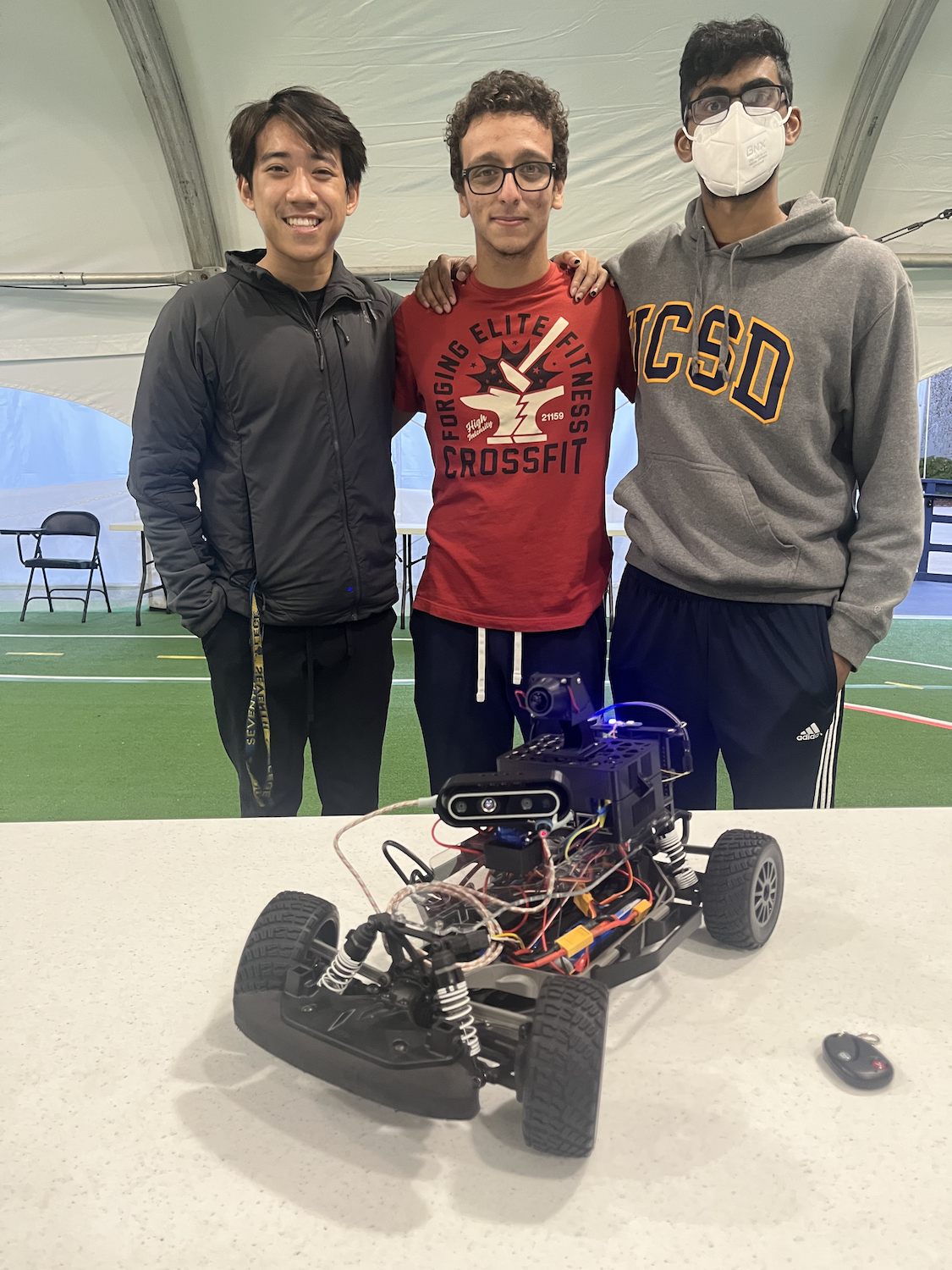
- Aksharan Saravanan, ECE
- Hieu Luu, DSC
- Katada Siraj, MAE
Project Overview
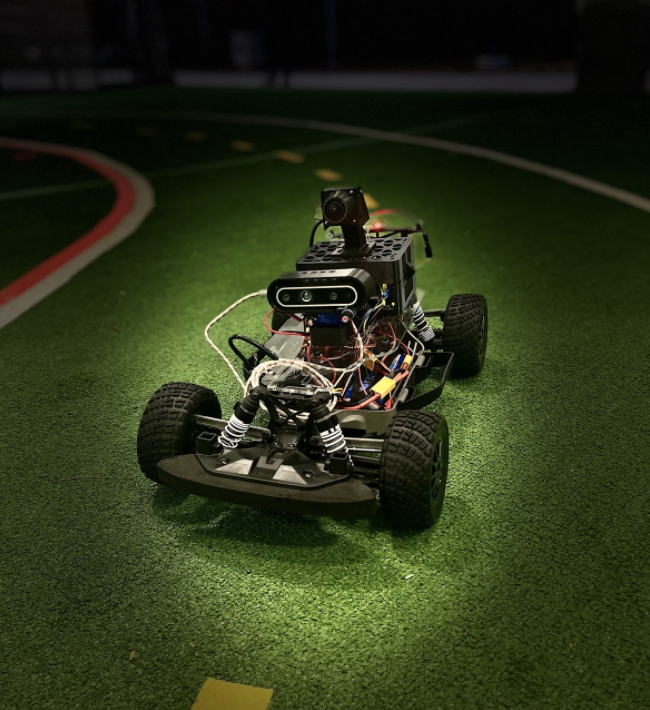
A robot that acts as an aimbot, in that it follows a target and dynamically adjusts a laser pointing at that target. The robot should use OpenCV to detect the target and ROS to guide steering and throttle based on the target position and distance.
Goals:
- Have the car be able to autonomously follow a target (e.g. a poster board)
- Modify the car to fit a laser pointer that aims at the target
- (Nice-to-have)Recognize targets of different colors and adjust the following distance.
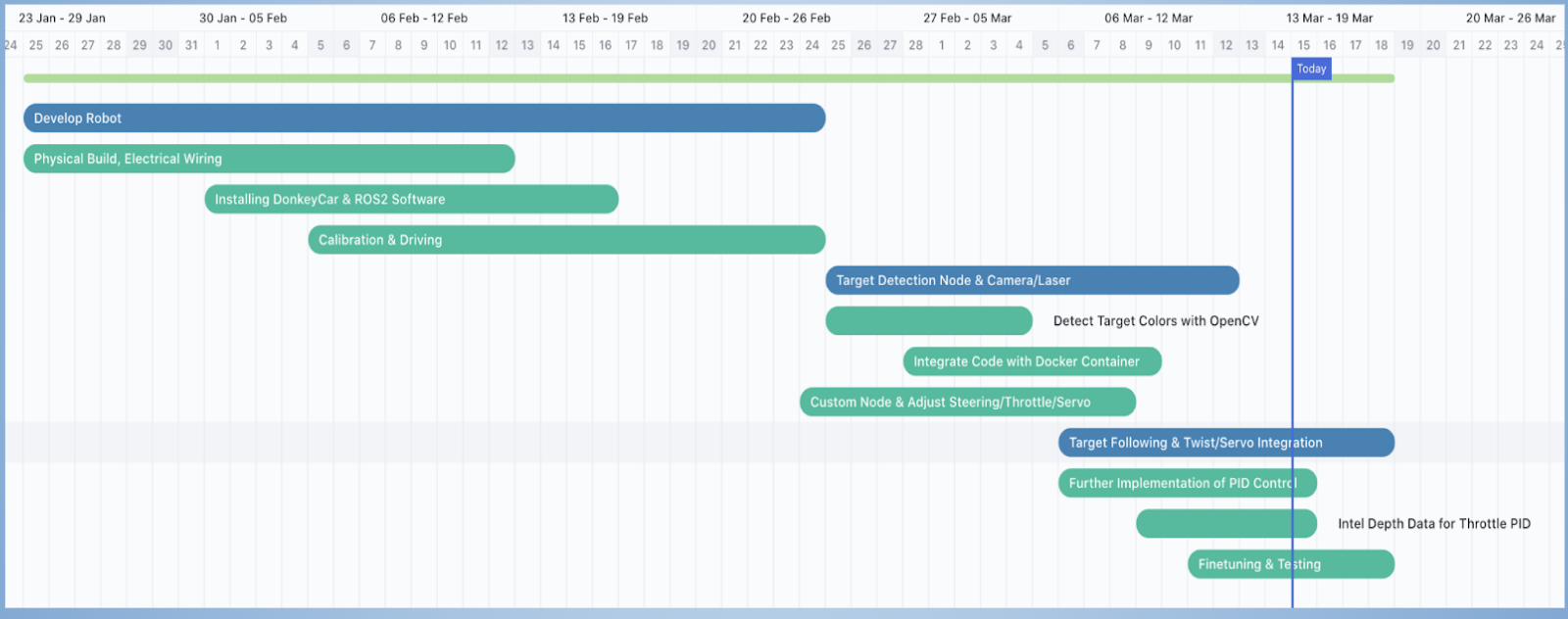
- Alternative: Use depth data from intel to implement throttle control
Gantt Chart
Robot setup
Hardware Setup
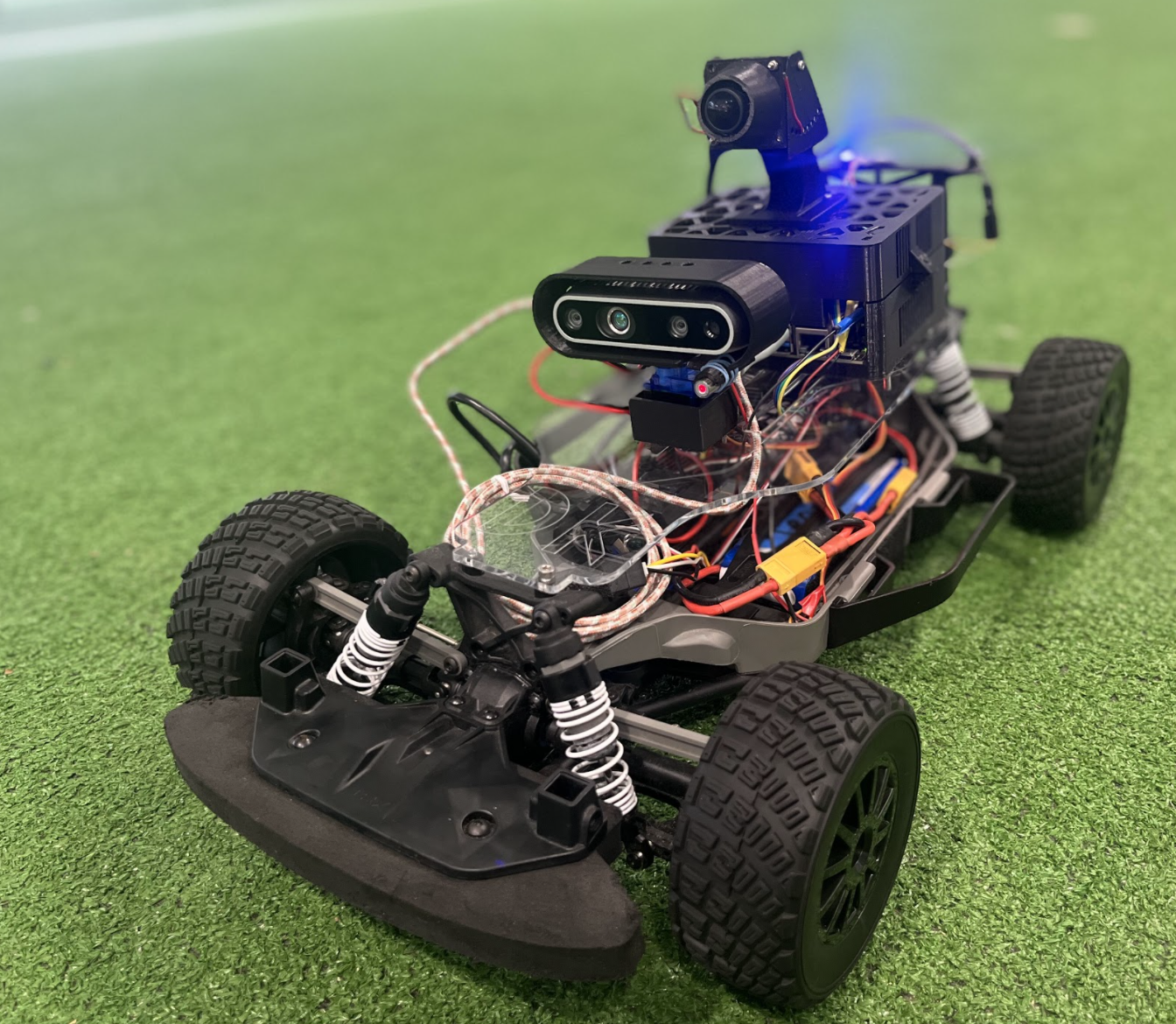
Notes:
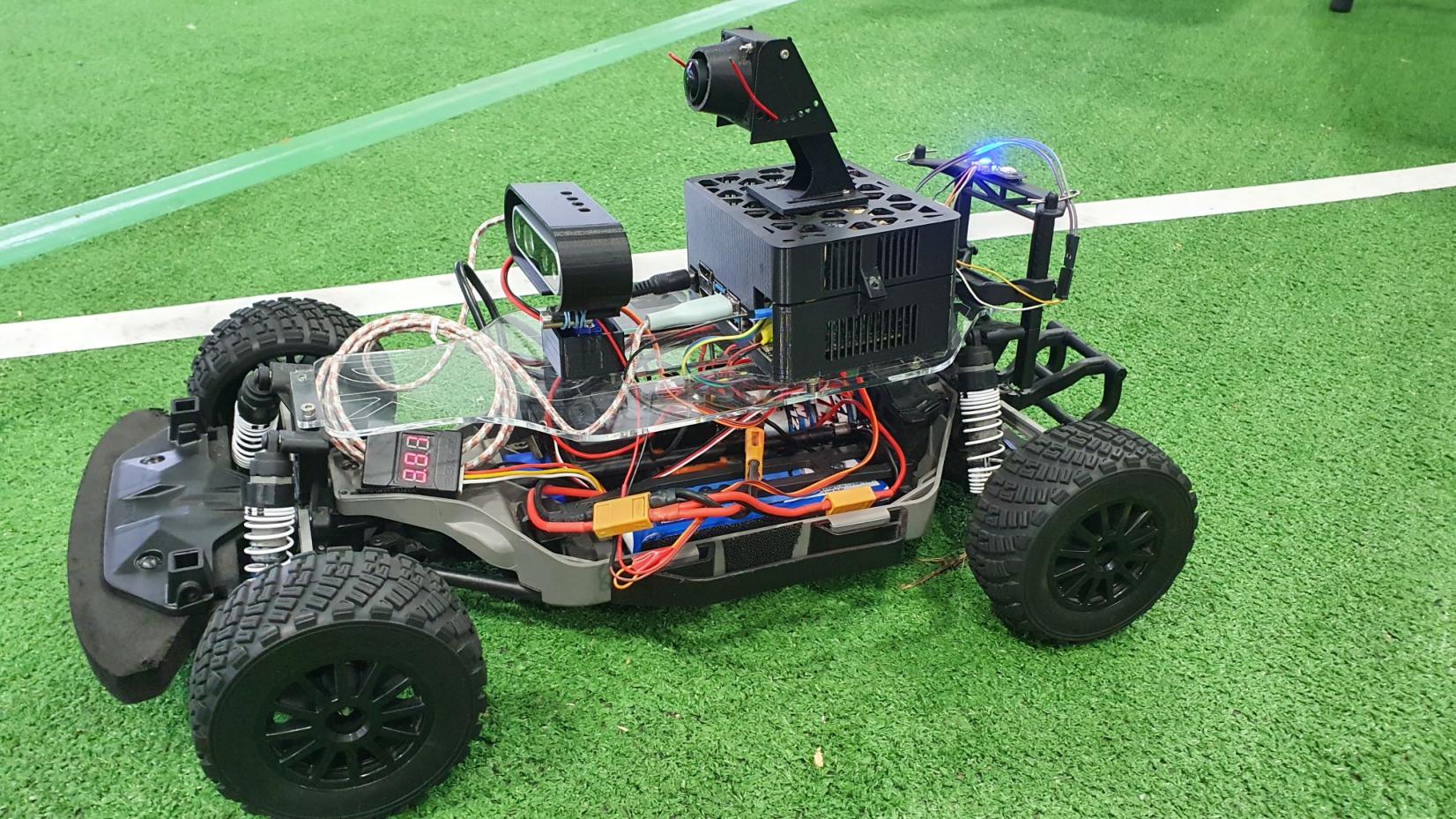
- Velcroed the PWM board and DC-DC converter to the bottom of the base, so there would be sufficient space for the camera/servo/laser mechanism
- Thingiverse original cad design for jetson nano case: https://www.thingiverse.com/thing:3532828
- modified this design to allow wires through the back and a more secure fit for the Jetson
- Webcam Camera mounted on top provided a nice FOV without taking up any more space
- Relay is behind the Jetson
CAD/Mechanical Designs
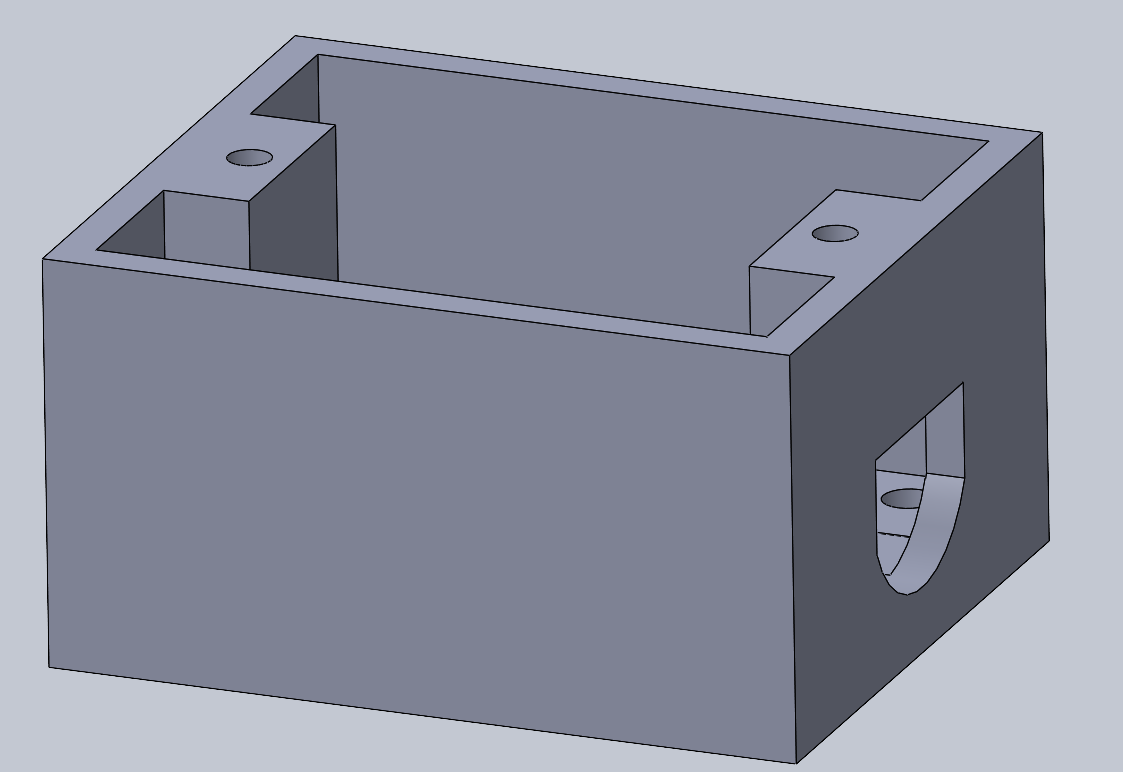 This design is meant to mount an SG90 servo to the car plate.
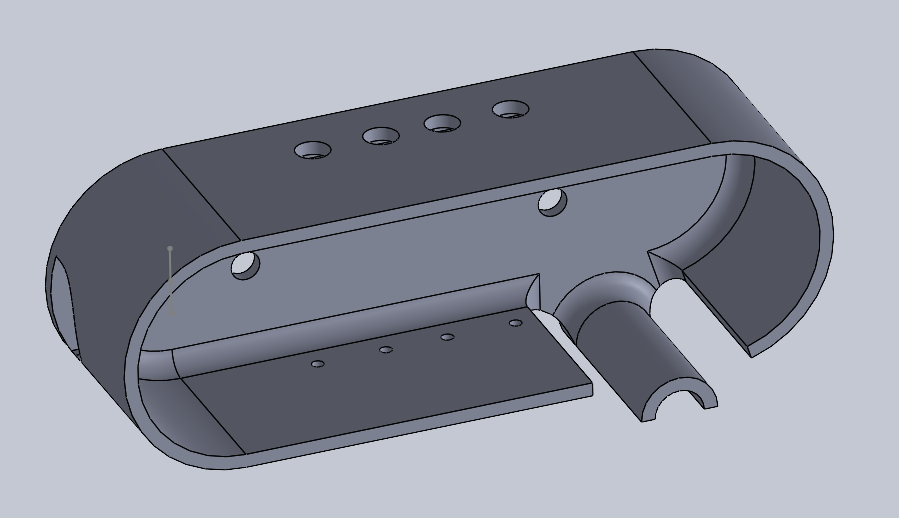 This is the case for the Intel D435 that also attaches to the laser module and servo on the bottom.
Wiring
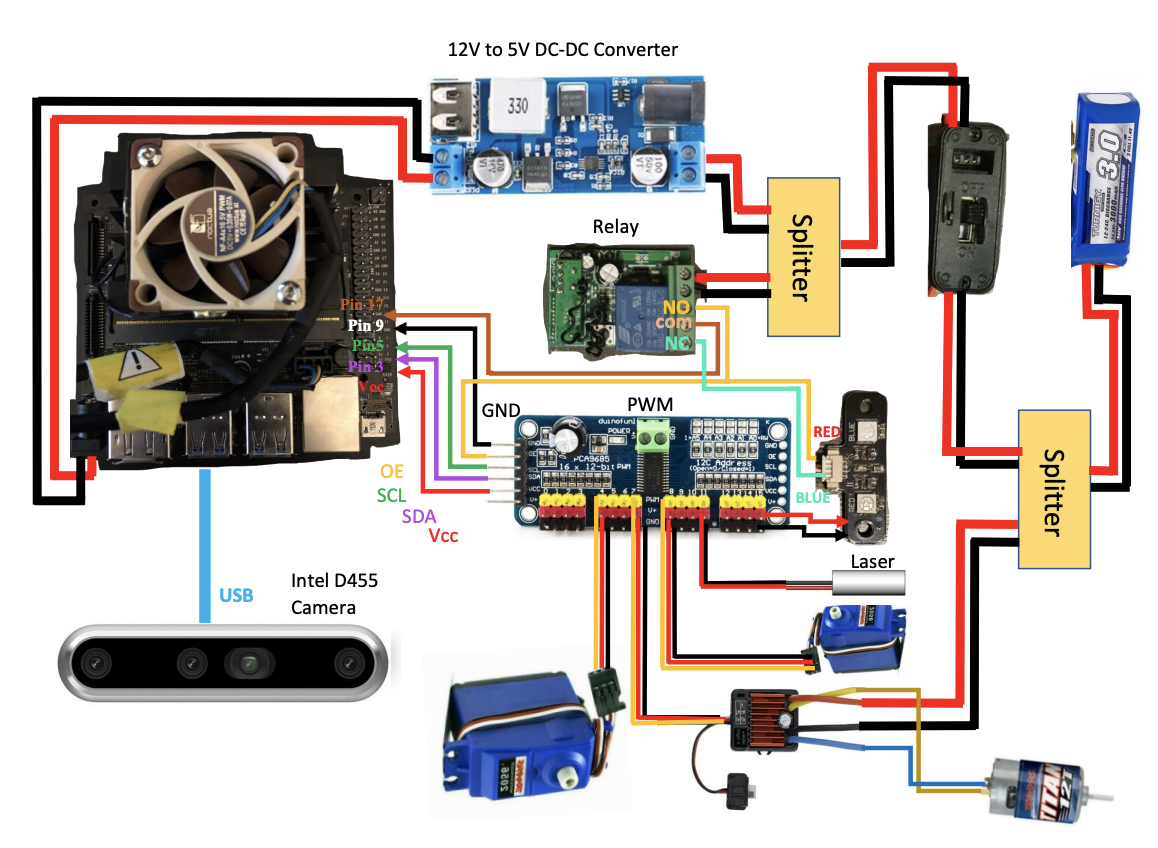
Special Components
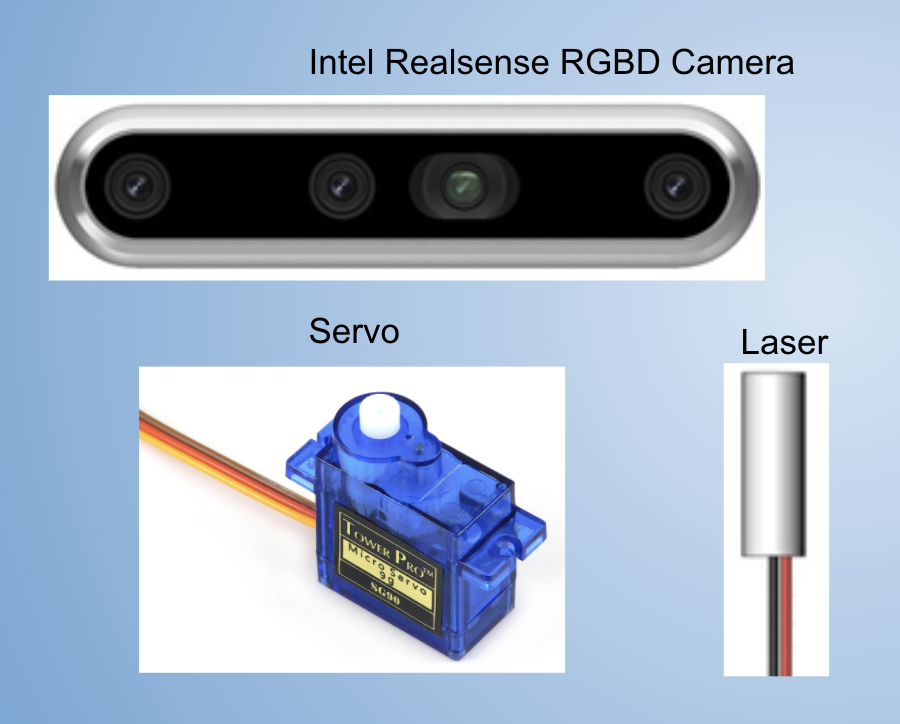
- Intel RealSense RGBD Camera
- Mini Laser
- Micro Servo
Software/Jetson Setup
Configured the Jetson Nano and compiled OpenCV from source, using the class guide instructions.
DonkeyCar
Installed the DonkeyCar AI framework on the Jetson, which collected data during manual driving with the joystick. This allowed us to train a behavioral cloning model using that data and then run the robot autonomously based on that model.
3 Laps Video
{{#ev:youtube|https://www.youtube.com/watch?v=FTRKwKKNqF8%7C500x300%7C left | DonkeyCar Laps |frame}}
Tips/Notes
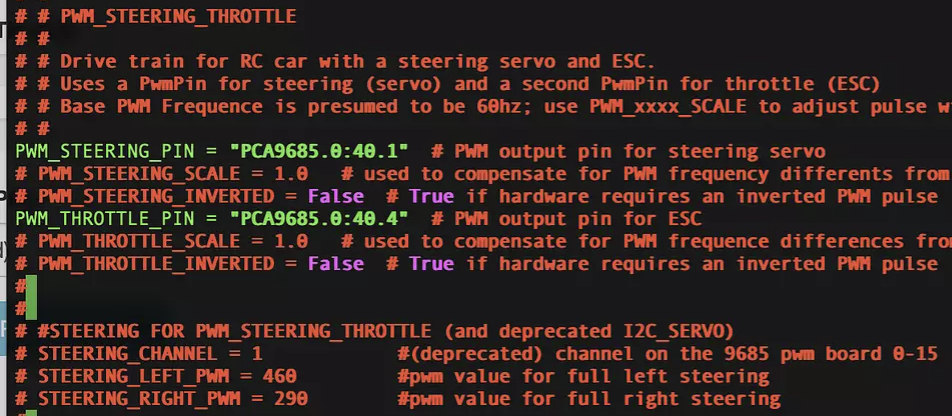
- If the PWM doesn't seem to be working (the sudo i2cdetect doesn't print out 40/70), it may be that the Bus ports on the Jetson are fried, so can use Bus 1 (instead of Bus 0), but also have to change some lines in config.py
OpenCV/ROS2
Setup Dominic's docker container on the Jetson, allowing us to run the ROS and calibrate the robot for image detection for the track. Then, launched Dominic's nodes, which autonomously guided the robot through the laps based on our calibrations of error, HSV for yellow, and throttle.
3 Laps Video
{{#ev:youtube|https://youtu.be/FTRKwKKNqF8%7C500x300%7C left | ROS2 Laps |frame}}
Tips/Notes
- our throttle was changing unexpectedly for the different error modes, so as a last resort, we set the throttle to be a constant value in adafruit_twist_node.py
- calibrate the lane detection just before starting, as different times of the day will have different lighting conditions
- make sure to understand Dominic's instructions on ROS as well as the nodes' code as it will make it much easier when starting on the final project
- the virtual machine makes it easy to work with X11 forwarding
Final Project
Our Final Project is to implement an autonomous target detection mechanism for our robot (aka aimbot). Our idea was to have some sort of target, and have the robot follow it, adjusting its steering and throttle to mimic the target's maneuvers. In addition, added an additional camera, the Intel RGBD, onto a servo, so that the actual FOV and image the robot was taking in would adjust itself in response to the target. And just for fun, we added a small laser connected to the camera, so it was easy to see where the robot was "detecting the target". Lastly, we made it so that the target was actually another robot car, which we controlled using a joystick. So essentially, our robot was tracking the target robot around the track and dynamically adjusting its actuators.
How We Did It
- Image Processing using OpenCV to Detect a Colored Target
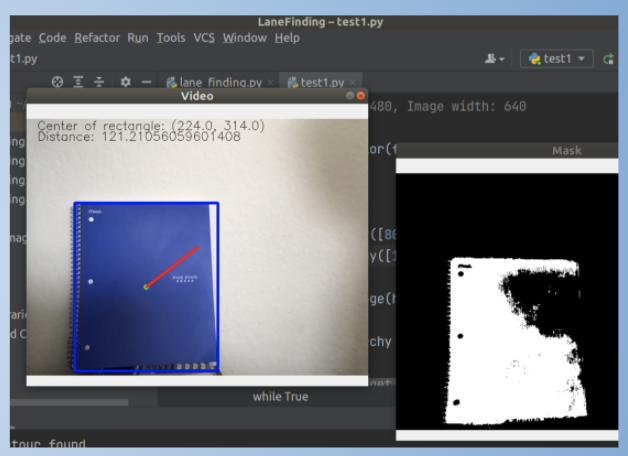
- Used Virtual Machine to run a simple python script that detects the largest rectangle which is the color blue, using masking, bound the rectangle, and then detect the line from the point at the center of the object to the point at the actual center of the frame
- Gathered Depth data using an RGBD camera
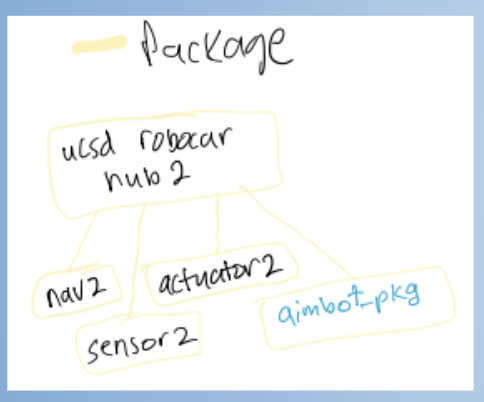
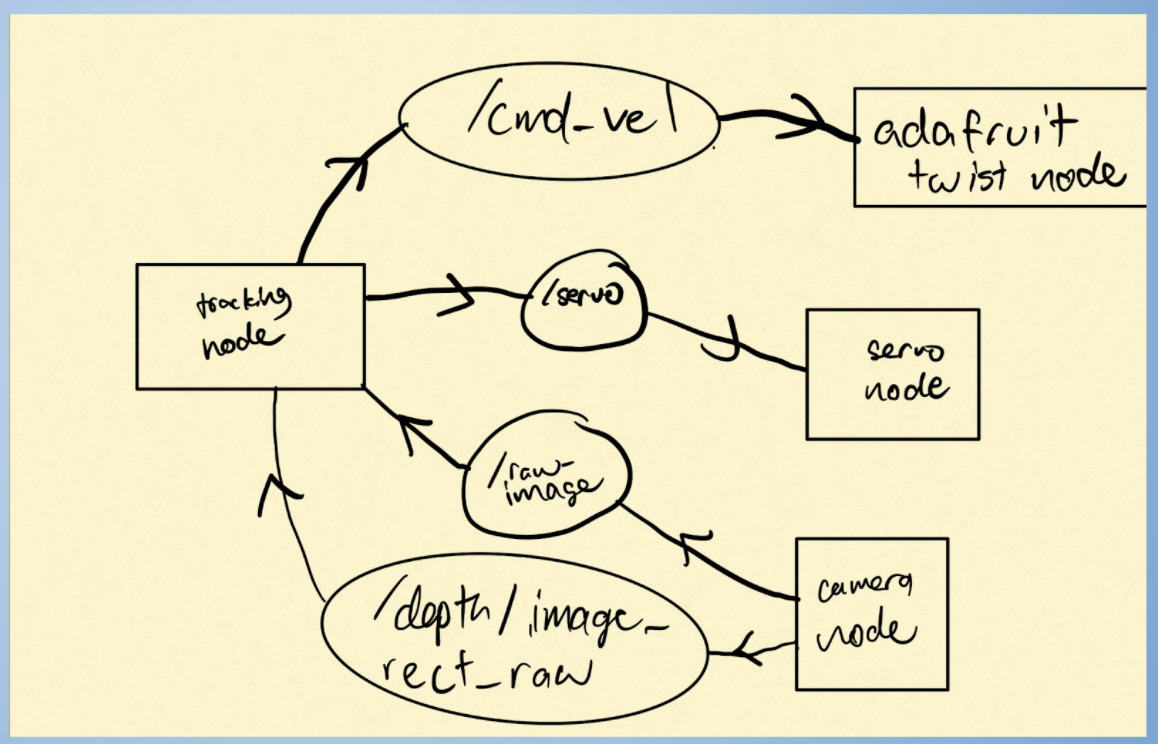
- Create a custom Target Detection node which Subscribes to Camera Topics and Publishes to the Twist and Servo Topics.
- Node was a python script using ROS2, and utilized Dominic's existing custom ROS2 metapackage to publish/subscribe to.
- Wrote a program which publishes commands to the appropriate nodes based on the gathered data.
- Implemented P controller for throttle which maintains a certain distance from the target
- Implemented a P controller for servo movement
- Integrated code into a ROS package (aimbot_pkg) within the ucsd_robocar_hub2 docker metapackage.
ROS Software Design
Source Code/Github
Github Link: Project Code
Custom ROS Node Link: Target Detection ROS2 Node
PID Algorithm
A P controller.
Servo/Steering:
- Used the calculated distance between target and middle of image frame as error and adjusted the servo proportionally. This was so that as the target approaches the center of the target, it only does micro-adjustments to prevent oscillation. Also mapped the servo values to steering values, so only needed 1 P controller for both.
Throttle:
- Used the difference between the measured depth and the desired following distance as error and adjusted the throttle proportionally. This also helped with the smooth adjustment of throttle with respect to the ESC, so it doesn't suddenly change from forward to neutral throttle, causing an issue. However, when the error is negative (car is too close) the car just completely stops, as our car wasn’t capable of receiving reverse throttle values.
Demo Video
{{#ev:youtube| https://youtu.be/tL3elf0cDe0 |500x300| left | Final Project Demonstration |frame}}
Tips/Notes
- If doing something ROS-based, take time to experiment with and understand Dominic's repository and how ROS packages are organized
- Map out the nodes, topics, etc before getting to the code
- Make sure that the switch is turned off before connecting the battery (we found out the hard way)
- Take the project step-by-step
Presentations
Final Project Presentation
Weekly Update Presentations
Challenges
- Determining how to integrate custom ROS code within the Docker Container and getting the Nodes to communicate
- Integrating the Intel RealSense Camera
- Issue of possible “voltage spike” to the ESC causing full throttle when published throttle was suddenly switched from neutral to forward.
- Connecting ideas of OpenCV image detection and doing data processing to publish to ROS topics
- Components including the Jetson, PWM, and switch burned out so had to get new parts
Future Developments
Send reverse throttle controls.
- This would enable our car to be more robust in maintaining a following distance because it would be able to correct itself when overshooting.
Recognize different colors and dynamically adjust following distance.
- This would allow the car to be more responsive to the environment and more robust when following a target.
Resources
https://gitlab.com/ucsd_robocar2/ucsd_robocar_hub2
Acknowledgements
Thanks to: Professor Silberman, Dominic, Ivan, Professor De Oliveira, as well as the other teams.