2022SpringTeam4
Team Members
Maxwell Chang (Electrical Engineering)
Jack Griffin (Mechanical Engineering)
Eskil Berg Ould-Saada (Cybernetics and Robotics)
Kai Poon (Electrical Engineering)
Our Robot
Car Photos
Profile
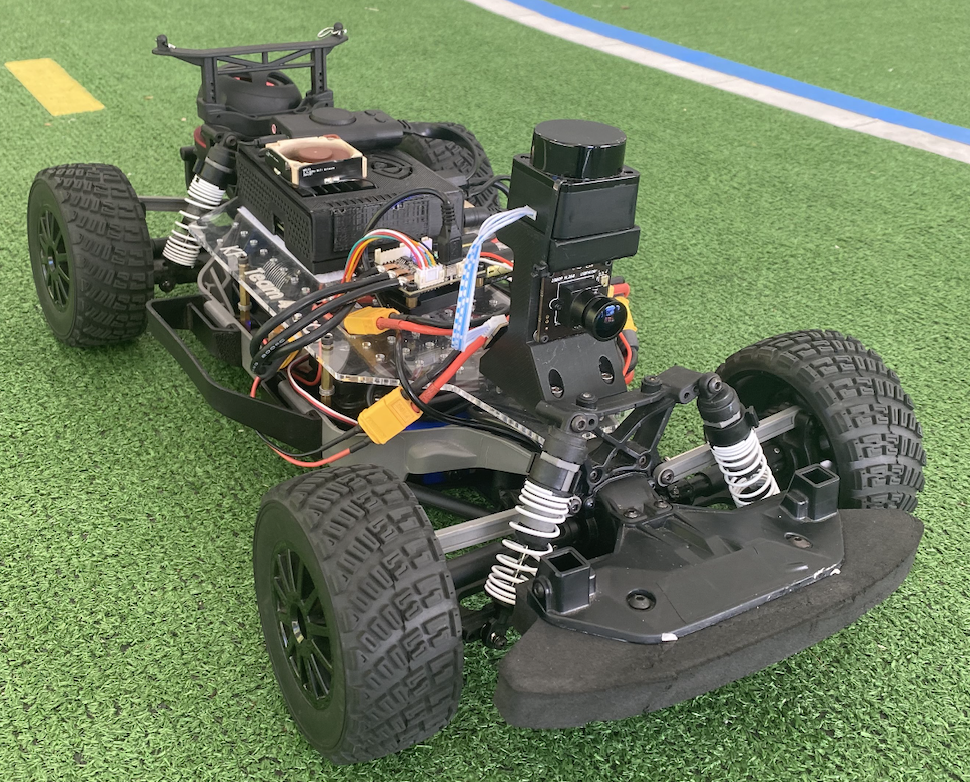
Back
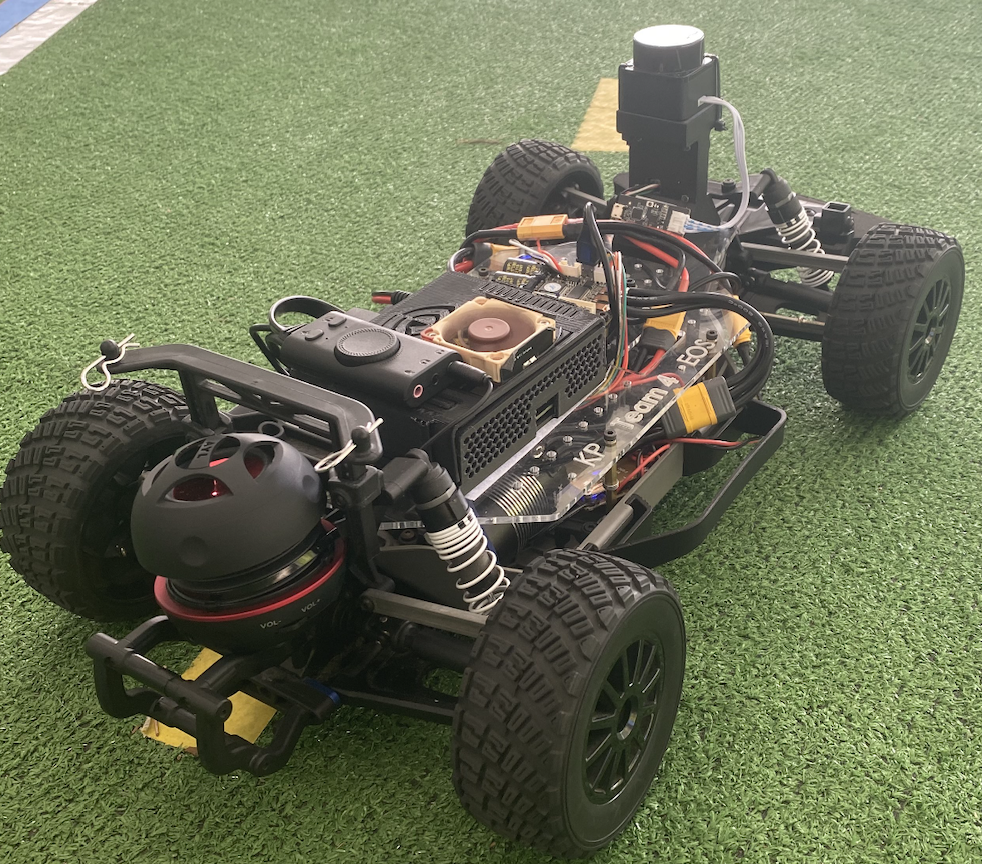
Left
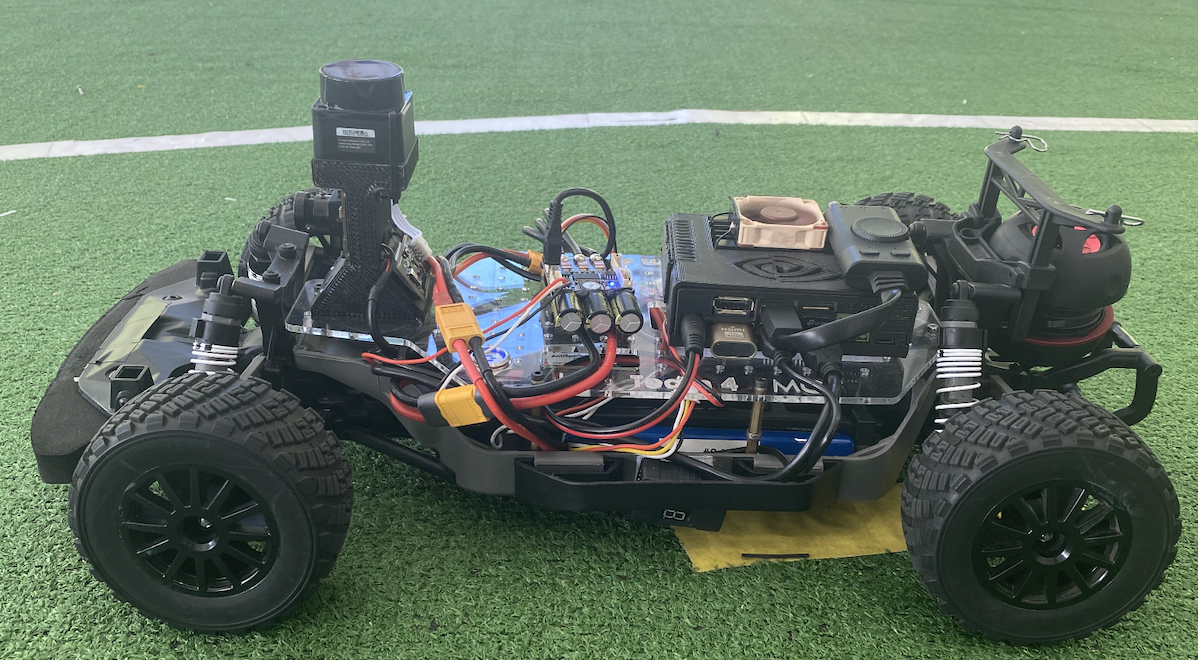
Top-Down
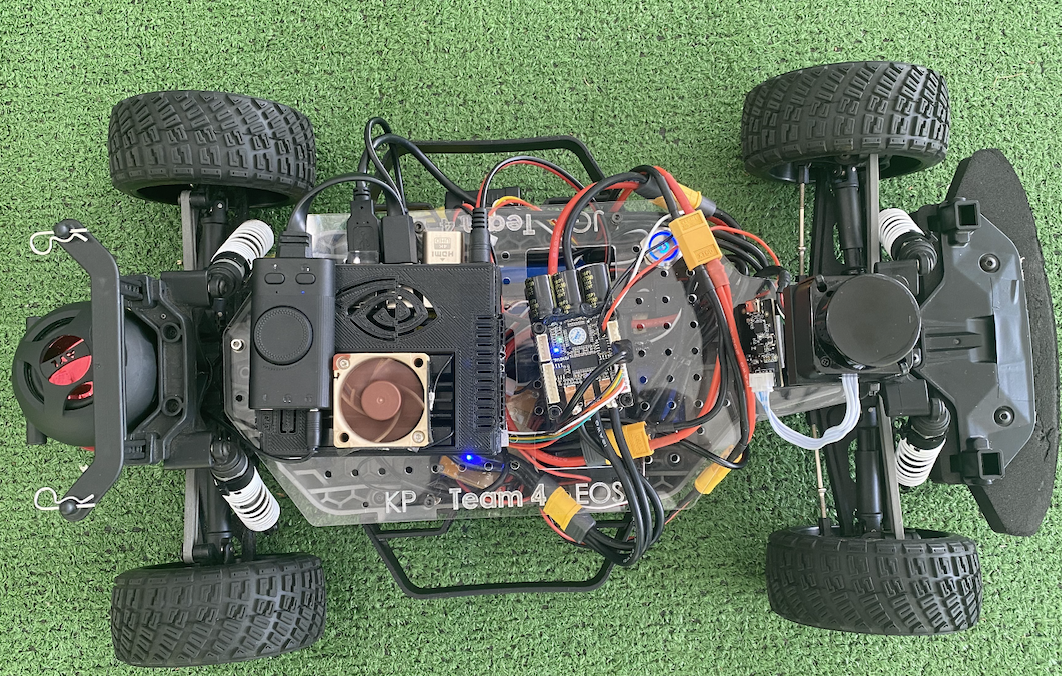
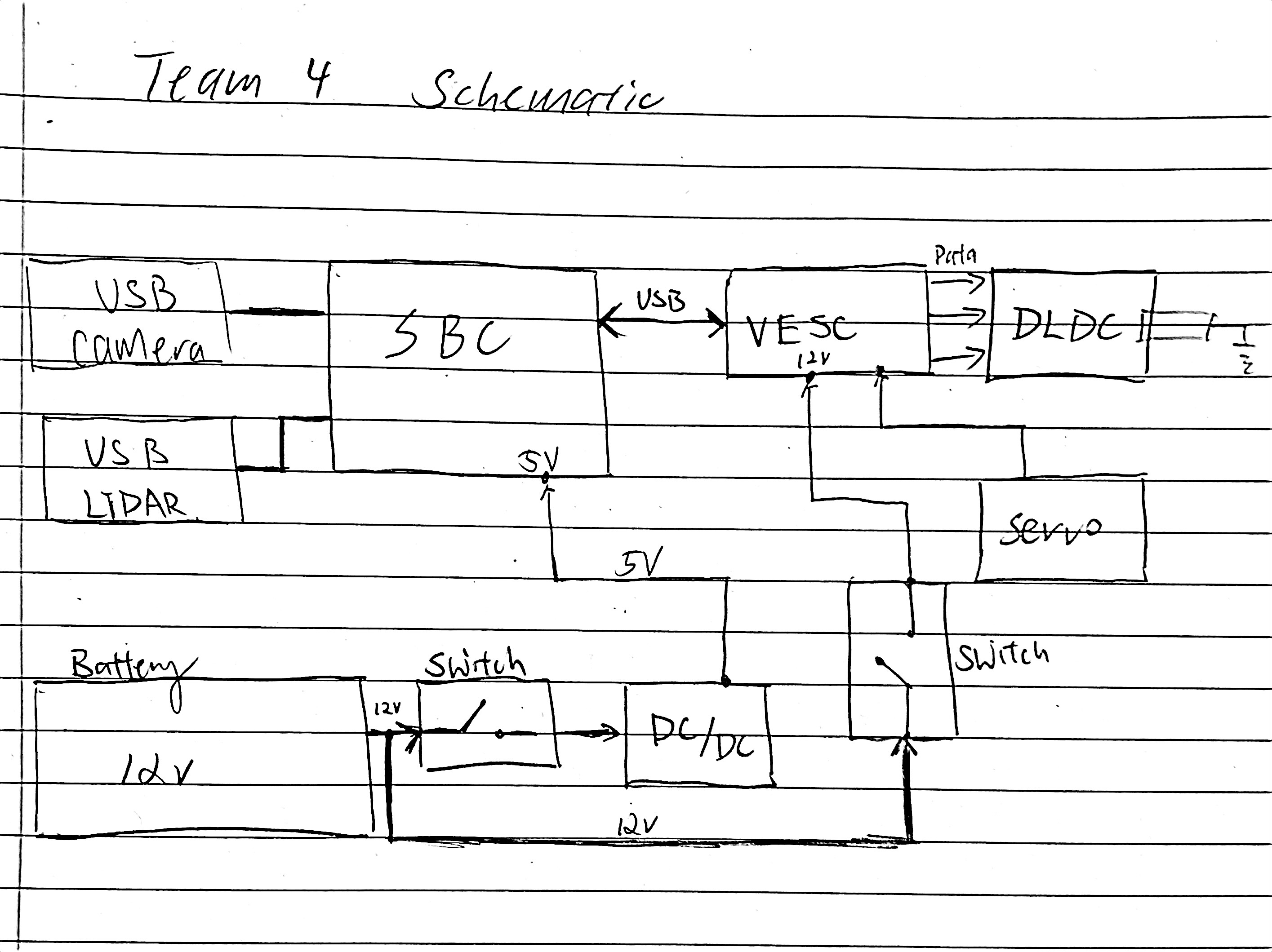
Schematic
Autonomous Laps
Donkey
{{#widget:YouTube|id=vE4VCY7nqCs}}
ROS2
Outside Track
{{#widget:YouTube|id=L5oGdNRxrTE}}
Inside Track
{{#widget:YouTube|id=Z8sejDQNjLs}}
Final Project
Objective
We wanted to create a voice controlled car for our final project. This car would take our voice from a microphone as input and we wanted to create a program that recognizes some key words which will drive the car. The key words we wanted to use were:
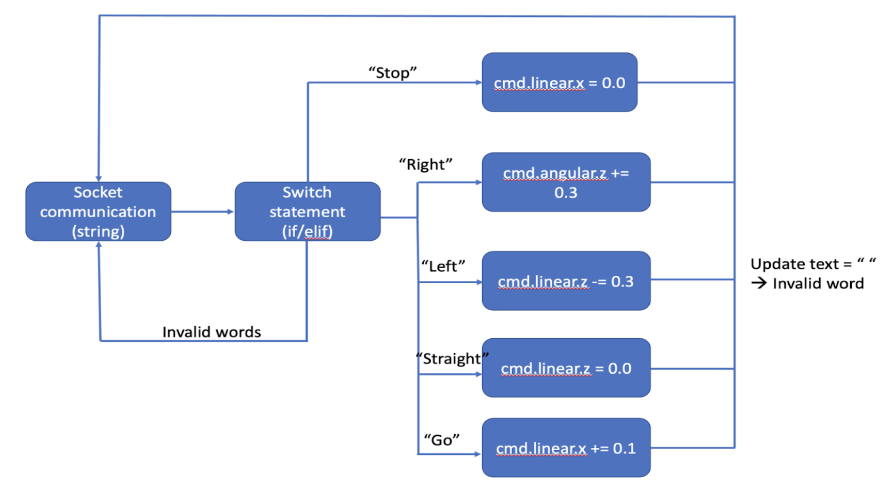
“Go” == forward
“Stop” == stop
“Left” == turn left with some degrees
“Right” == turn right with some degrees
“Straight” == Straighten the steering angle
“Exit” == Exit the program
In our program we wanted to subscribe to the commands in form of strings of words we are saying to the microphone, and then publish the corresponding movements on the car itself.
Must Haves and Nice to Haves
Must Have
Audio passed to program as input - Clean audio with minimal noise
A program that can recognize key words in English
Car responding correctly to given commands
Nice to Have
Speaker feedback on the car
Movement bind to the path, e.g. autopilot feature
Approach
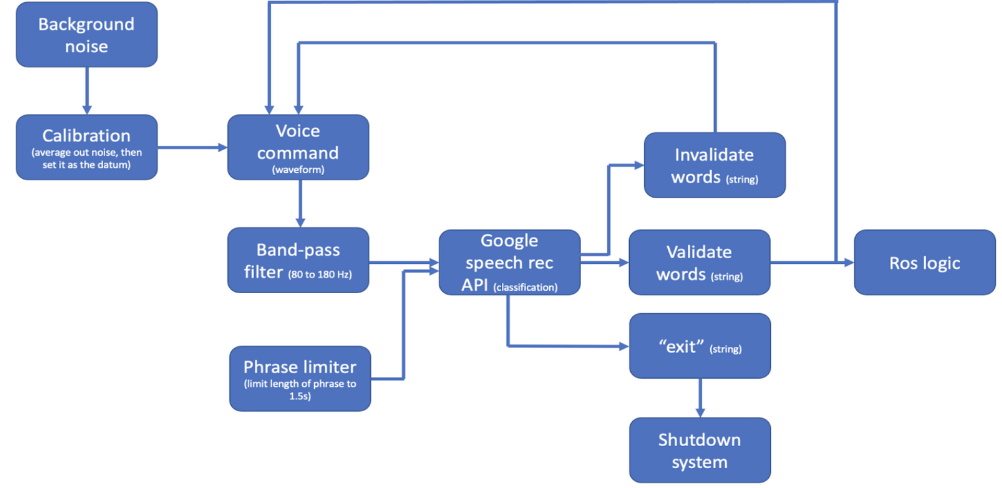
Implemented speech recognition module
Established Socket communication for Tx and Rx messages
Added threading to handle parallel processes
What Worked
Able to reduce noise in the audio
Recognize our speech
Socket communication via socket
Control VESC using actuator.py
What Did Not Work
Not able to do socket communication via docker
Not able to connect mic or speaker via docker
Offline recognition (Speech)
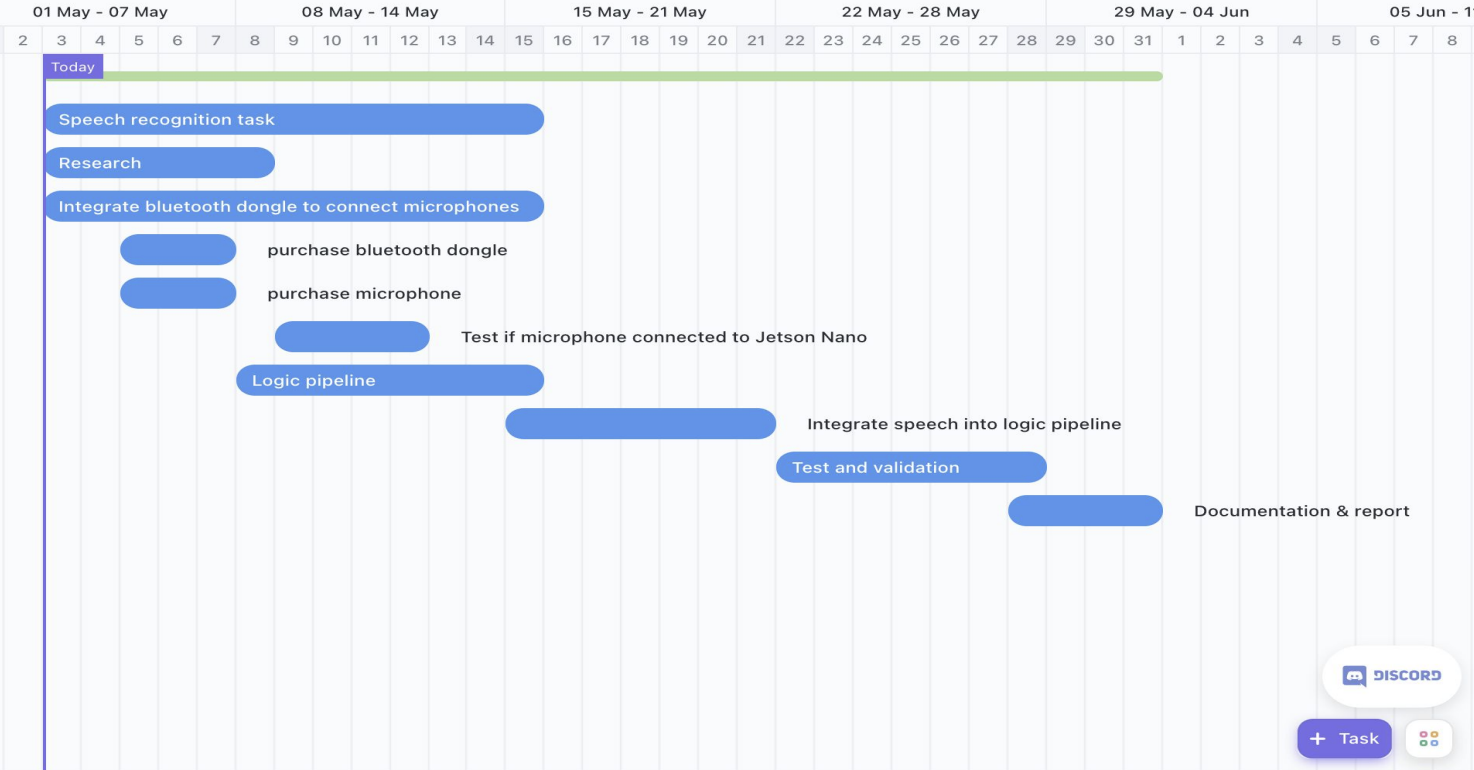
Gantt Chart
Implementation
Code
https://github.com/KaiPoon828/ECE148
High level block diagram
ROS2 block diagram
Demonstration Video
{{#widget:YouTube|id=YJjYsqlYsjg}}
Final Presentation
Acknowledgements
Professor Jack Silberman
TA Dominic Nightingale
TA Ivan Ferrier