2021SummerTeam5
Team Members
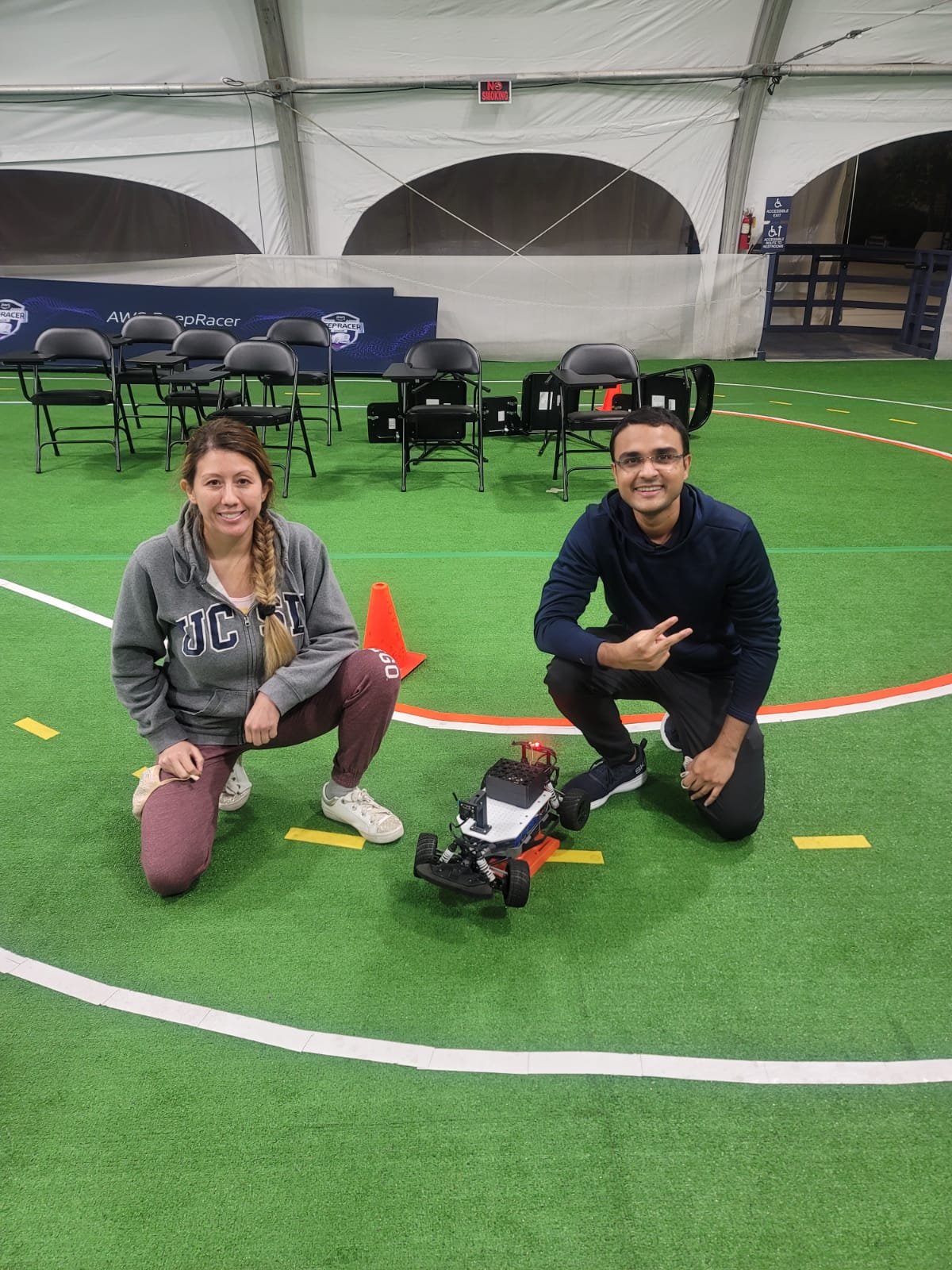
From left to right:
- Kimberly Johnson - Electrical Engineering
- Nayan Desale - Computer Science
- Anton Baddour - Aerospace Engineering (He was not feeling well when this photo was captured)
Mechanical Design
Electronics
Donkey Car Autonomous Laps
3 Donkey car autonomous laps can be found here. This model was trained with 32 laps. And it was able to complete 10 autonomous laps.
OpenCV autonomous laps
3 autonomous OpenCV laps can be found here.
Final project: Pedestrian detection and braking using OpenCV
In this project we have used a YoloV5 algorithm to detect the pedestrians and animals. This algorithm was ran on Nvidia Jetson nano. We have created a node for this algorithm which publishes '1' on the topic if there is a pedestrian or an animal on the track and '0' if there is no animal or pedestrian on the track. Finally, we used this published information to set/reduce the throttle of the car so that it will stop as soon as it detects an animal. We used Dominic's code and we modified it such that it picks the message from Object detection topic and throttles the car if necessary or stops it.
YOLOv5 Algorithm:
import cv2
import numpy as np
from elements.yolo import OBJ_DETECTION

import rospy
from std_msgs.msg import Int32, Int32MultiArray, String, Int16
from sensor_msgs.msg import Image
#from decoder import decodeImage
import time
from cv_bridge import CvBridge


OBJECT_DETECTION_NODE = 'object_detection_node'
CAMERA_TOPIC_NAME = 'camera_rgb'
OBJECT_DETECTION_TOPIC = '/object_detection'
CAMERA_TOPIC_NAME = 'camera_rgb'


Object_classes = ['person', 'bicycle', 'car', 'motorcycle', 'airplane', 'bus', 'train', 'truck', 'boat', 'traffic light',                'fire hydrant', 'stop sign', 'parking meter', 'bench', 'bird', 'cat', 'dog', 'horse', 'sheep', 'cow',                'elephant', 'bear', 'zebra', 'giraffe', 'backpack', 'umbrella', 'handbag', 'tie', 'suitcase', 'frisbee',                'skis', 'snowboard', 'sports ball', 'kite', 'baseball bat', 'baseball glove', 'skateboard', 'surfboard',                'tennis racket', 'bottle', 'wine glass', 'cup', 'fork', 'knife', 'spoon', 'bowl', 'banana', 'apple',                'sandwich', 'orange', 'broccoli', 'carrot', 'hot dog', 'pizza', 'donut', 'cake', 'chair', 'couch',                'potted plant', 'bed', 'dining table', 'toilet', 'tv', 'laptop', 'mouse', 'remote', 'keyboard', 'cell phone',                'microwave', 'oven', 'toaster', 'sink', 'refrigerator', 'book', 'clock', 'vase', 'scissors', 'teddy bear',                'hair drier', 'toothbrush' ]

# List of objects to be detected
custom_list = ['person', 'dog', 'cat', 'horse']

Object_colors = list(np.random.rand(80,3)*255)
Object_detector = OBJ_DETECTION('weights/yolov5s.pt', Object_classes)

window_handle = cv2.namedWindow("USB Camera", cv2.WINDOW_AUTOSIZE)

class ObjectDetection:

    def __init__(self):
        self.init_node = rospy.init_node(OBJECT_DETECTION_NODE, anonymous=False)
        self.object_detection_publisher = rospy.Publisher(OBJECT_DETECTION_TOPIC, Int16, queue_size=1)
        self.camera_subscriber = rospy.Subscriber(CAMERA_TOPIC_NAME, Image, self.DetectObjects)
        self.bridge = CvBridge()

    def DetectObjects(self, data):
        frame = self.bridge.imgmsg_to_cv2(data)

        if True:
            #window_handle = cv2.namedWindow("USB Camera", cv2.WINDOW_AUTOSIZE)
            # Window
            if True:    # cv2.getWindowProperty("USB Camera", 0) >= 0:
                ret = True
                if ret and frame is not None:
                        # detection process
                        objs = Object_detector.detect(frame)

                        # plotting
                        for obj in objs:
                                # print(obj)
                                label = obj['label']
                                score = obj['score']
                                [(xmin,ymin),(xmax,ymax)] = obj['bbox']
                                color = Object_colors[Object_classes.index(label)]
                                frame = cv2.rectangle(frame, (xmin,ymin), (xmax,ymax), color, 2)
                                frame = cv2.putText(frame, f'{label} ({str(score)})', (xmin,ymin),
                                        cv2.FONT_HERSHEY_SIMPLEX , 0.75, color, 1, cv2.LINE_AA)

                                if label in custom_list:
                                    self.object_detection_publisher.publish(1)
                                    print(label)
                                else:
                                    self.object_detection_publisher.publish(0)

                #cv2.imshow("USB Camera", frame)
                #keyCode = cv2.waitKey(30)
                #if keyCode == ord('q'):
                #    exit()

            #cv2.destroyAllWindows()

def main():
    object_detector = ObjectDetection()
    rate = rospy.Rate(15)
    while not rospy.is_shutdown():
        rospy.spin()
        rate.sleep()

if __name__ == '__main__':
    main()
The code to catch the detected object and stop the car.
#!/usr/bin/python3
import rospy
from std_msgs.msg import Float32, Int32, Int32MultiArray, Int16
import time

LANE_GUIDANCE_NODE_NAME = 'lane_guidance_node'
STEERING_TOPIC_NAME = '/steering'
THROTTLE_TOPIC_NAME = '/throttle'
CENTROID_TOPIC_NAME = '/centroid'
OBJECT_DETECTION_TOPIC = '/object_detection'


class PathPlanner:
    def __init__(self):
        # Initialize node and create publishers/subscribers
        self.init_node = rospy.init_node(LANE_GUIDANCE_NODE_NAME, anonymous=False)
        self.steering_publisher = rospy.Publisher(STEERING_TOPIC_NAME, Float32, queue_size=1)
        self.throttle_publisher = rospy.Publisher(THROTTLE_TOPIC_NAME, Float32, queue_size=1)
        self.object_detection_subscriber = rospy.Subscriber(OBJECT_DETECTION_TOPIC, Int16, self.object_detection_callback)
        self.steering_float = Float32()
        self.throttle_float = Float32()
        self.centroid_subscriber = rospy.Subscriber(CENTROID_TOPIC_NAME, Float32, self.controller)

        # Getting ROS parameters set from calibration Node
        self.steering_sensitivity = rospy.get_param('steering_sensitivity')
        self.no_error_throttle = rospy.get_param('no_error_throttle')
        self.error_throttle = rospy.get_param('error_throttle')
        self.error_threshold = rospy.get_param('error_threshold')
        self.zero_throttle = rospy.get_param('zero_throttle')
        self.stop = 0

        # # Display Parameters
        rospy.loginfo(
            f'\nsteering_sensitivity: {self.steering_sensitivity}'
            f'\nno_error_throttle: {self.no_error_throttle}'
            f'\nerror_throttle: {self.error_throttle}'
            f'\nerror_threshold: {self.error_threshold}'
            f'\nCatched_stop_value: {self.stop}')

    def controller(self, data):
        # try:
        kp = self.steering_sensitivity
        error_x = data.data
        rospy.loginfo(f"{error_x}")

        if self.stop == 1:  # if stop is 1 then the object (person or animal) has been detected on the track so stop the car
            throttle_float = self.zero_throttle
            time.sleep(0.003)
        elif error_x <= self.error_threshold:
            throttle_float = self.no_error_throttle
        else:
            throttle_float = self.error_throttle
        steering_float = float(kp * error_x)
        if steering_float < -1.0:
            steering_float = -1.0
        elif steering_float > 1.0:
            steering_float = 1.0
        else:
            pass
        self.steering_float.data = steering_float
        self.throttle_float.data = throttle_float
        self.steering_publisher.publish(self.steering_float)
        self.throttle_publisher.publish(self.throttle_float)
        rospy.on_shutdown(self.clean_shutdown)

    def clean_shutdown(self):
        print("Shutting Down...")
        self.throttle_float.data = self.zero_throttle
        self.throttle_publisher.publish(self.throttle_float)
        print("Shut down complete")

    def object_detection_callback(self, data):
        self.stop = int(data.data)
        # print("Catched Value: "+str(self.stop))


def main():
    path_planner = PathPlanner()
    rate = rospy.Rate(15)
    while not rospy.is_shutdown():
        rospy.spin()
        rate.sleep()


if __name__ == '__main__':
    main()
Video demonstration
The practical video for this project can be found here