2021FallTeam3
Team Members
- Han Zhao(ECE)
- Zhetai Zhou(ECE)
- Felix Koch(MAE)
Project Overview
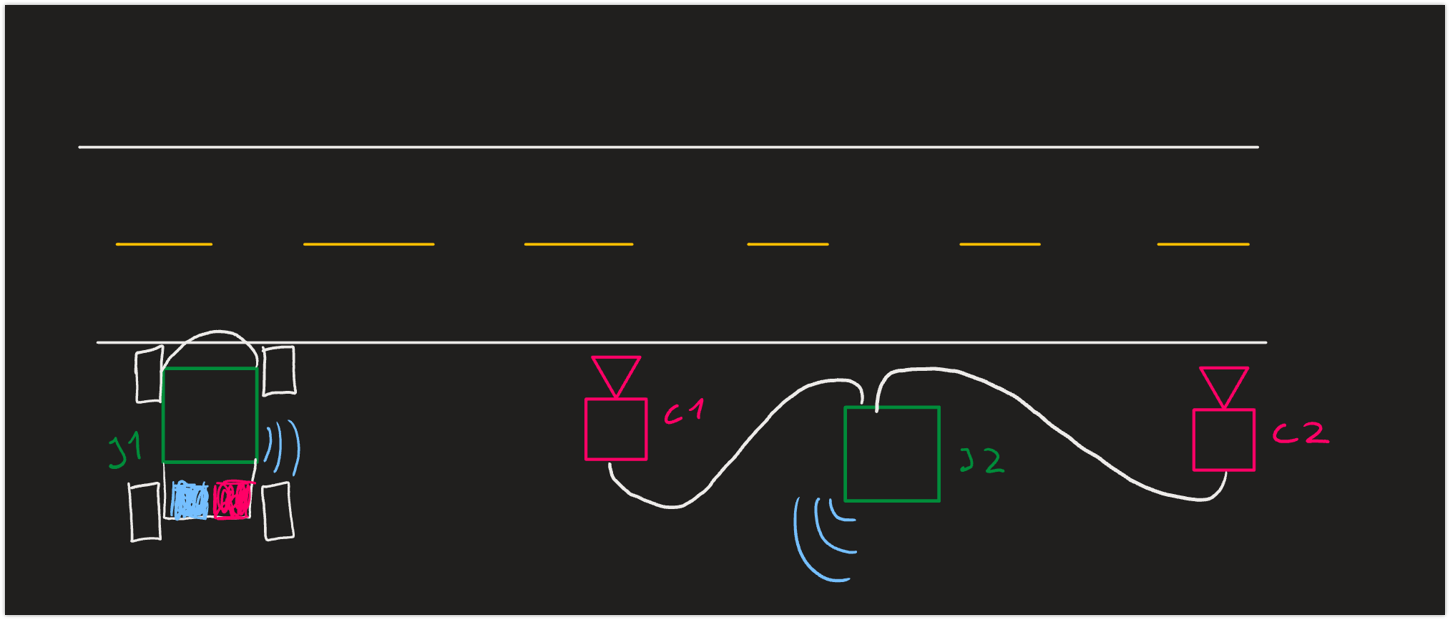
The objective is to measure another car's speed using a second stationary jetson nano with two webcams plugged into it. Those two cameras will be set up at a given distance (e.g. 3m) and be trained using AI to give a signal when detecting a car passing. With this data and the time we can calculate the velocity and compare it to our speed limit. If the car turns out to be speeding our parked police car will turn on some LED lights and join the track to chase the traffic law violator.
Must Haves
- Two webcams
- Two jetson nanos(One can be replaced by a virtual machine)
- Another RC car for speed trap
Nice to Haves
- Two lidars which can be used to replace two webcams to measure the speed
What if We Have More Time
For now, our program can only activate the car to follow the track, when the speeding car is detected. If we have more time, we would like to use Lidar to avoid the obstacles and adjust the speed to catch the car. Besides, the algorithm for our speed trap may not measure the speed so accurate, so if we have more time, we would like to try some other algorithm to make the measurement more accurate
Project Video
If the video cannot be view properly, you can go to Youtube through this link
{{#widget:YouTube|id=udW9TzQgQ18}}
Hardware
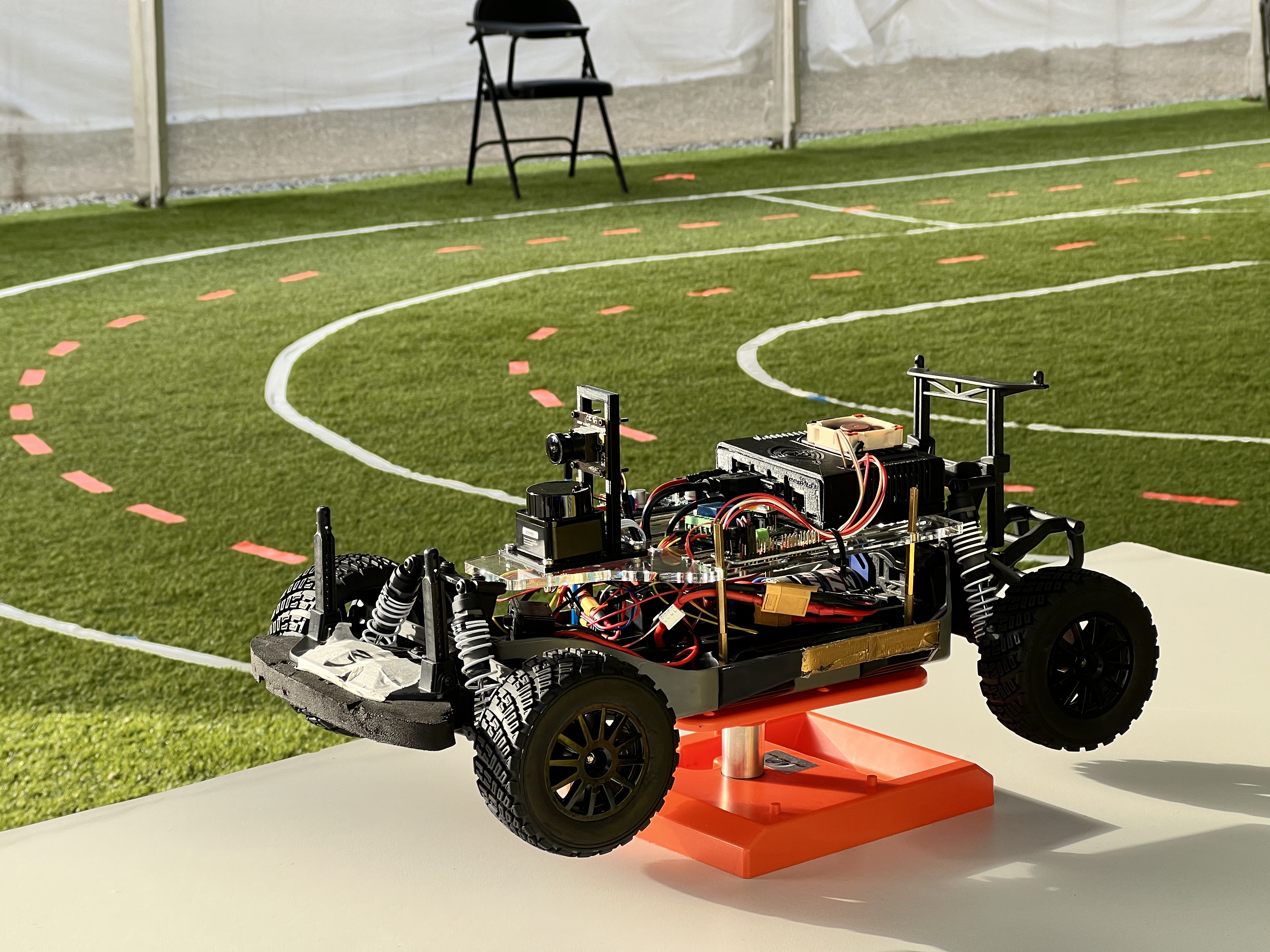
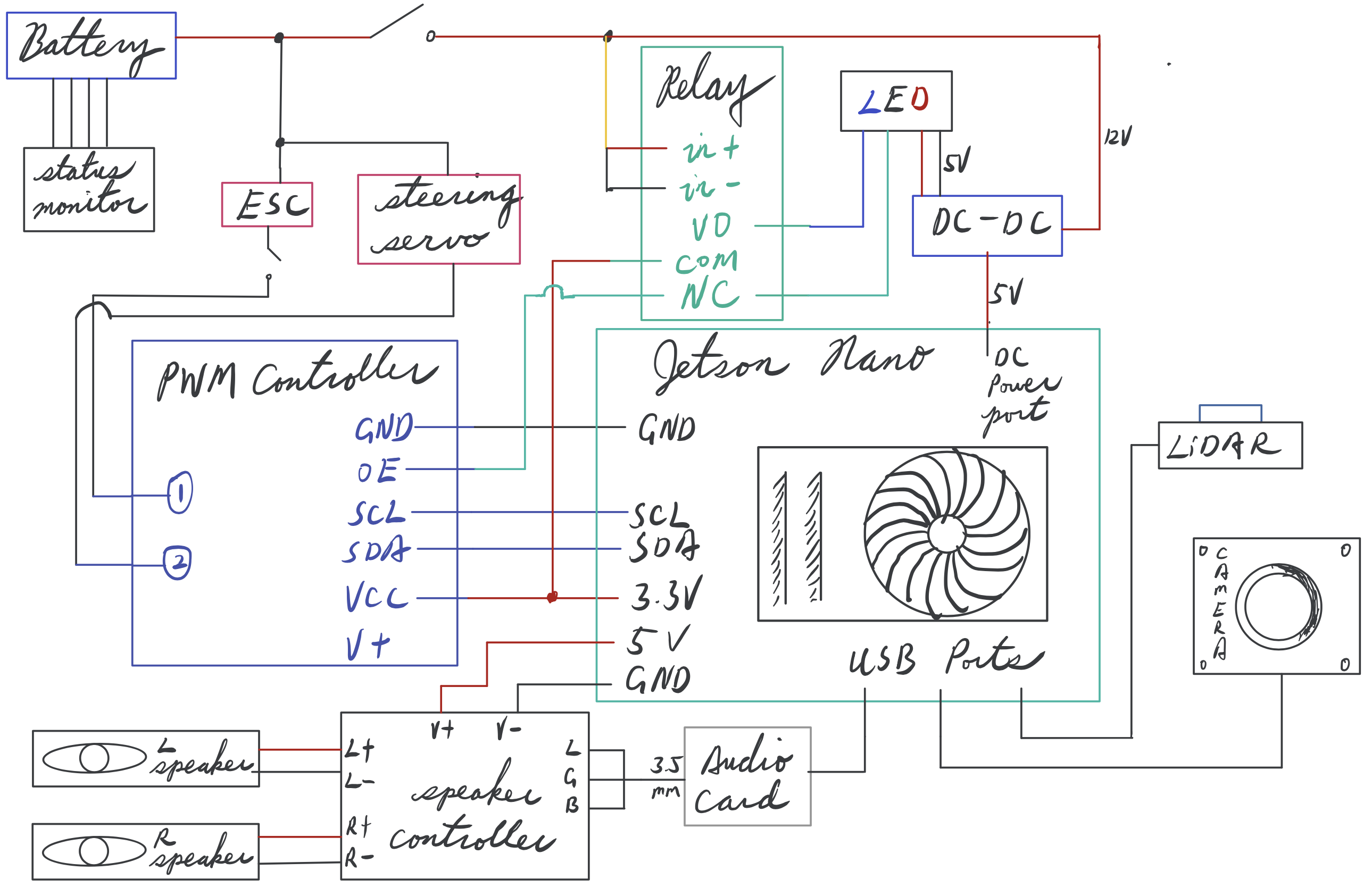
Our car is pretty basic with one jetson nano, one lidar, one camera, one PWM board to control the throttle and steering, and one dc/dc converter to supply the power.
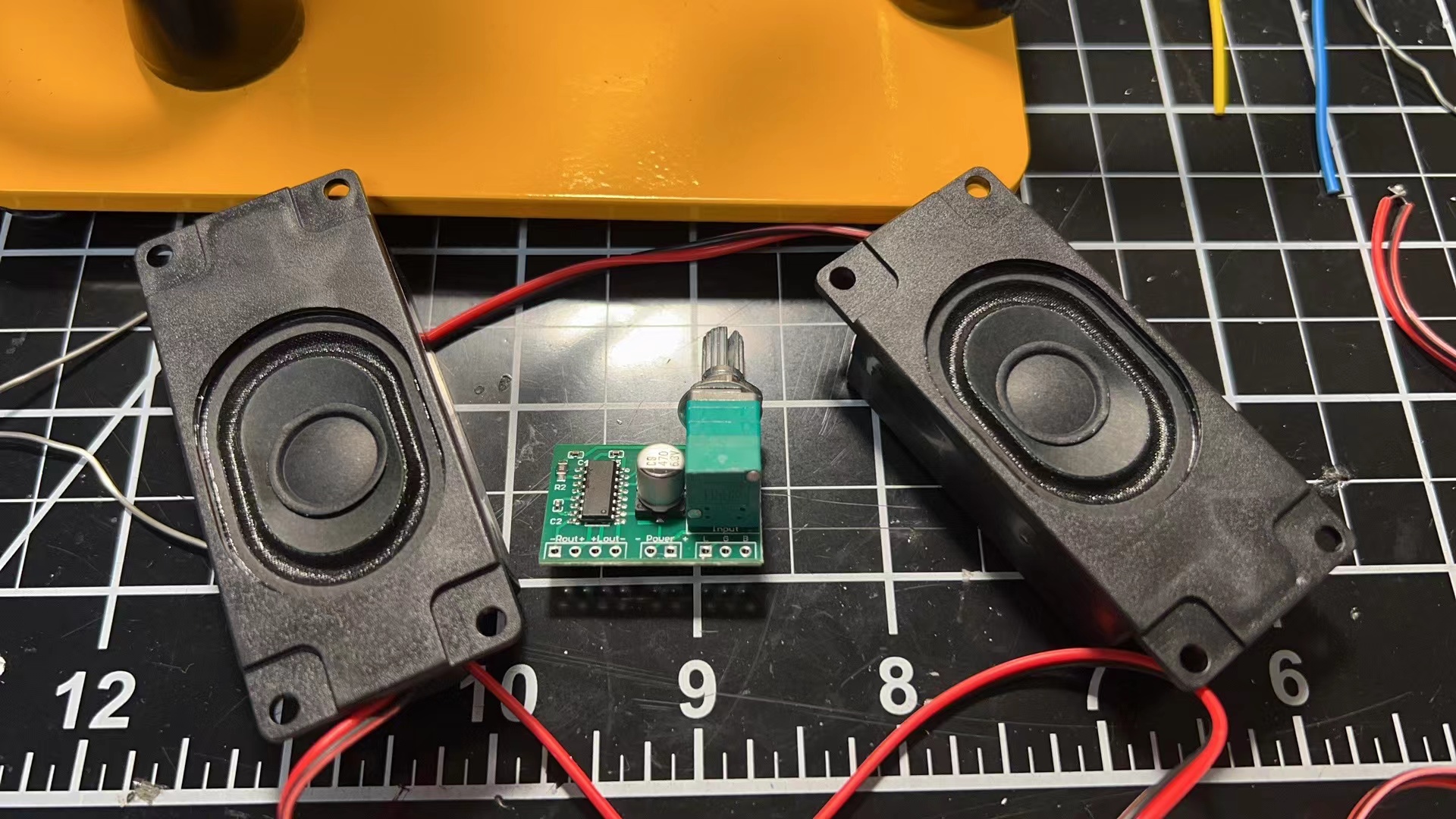
Besides, the hardware provided by the professor, we also buy and solder a speaking to play the sound on our robocar.
Mechanical Design
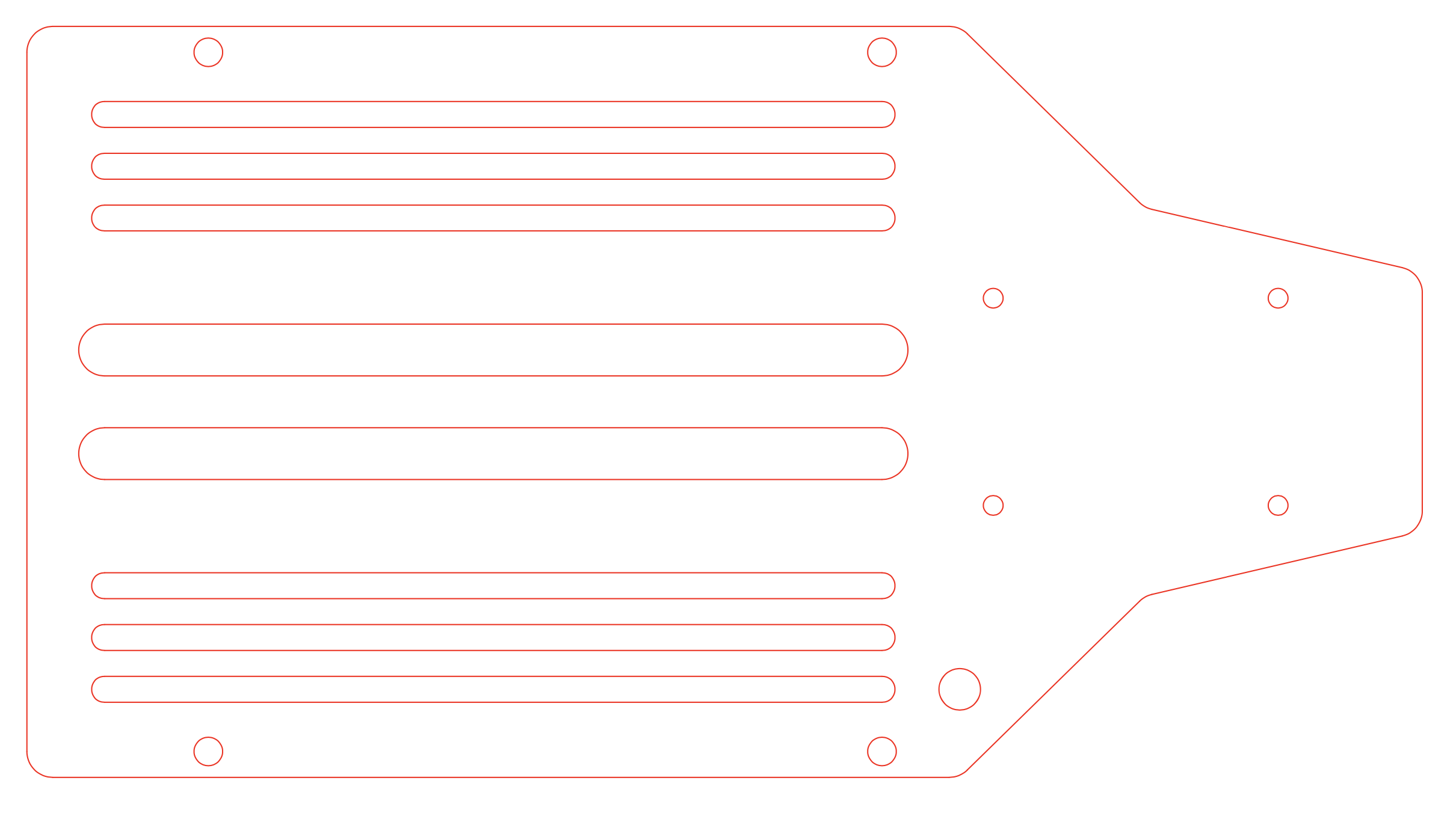
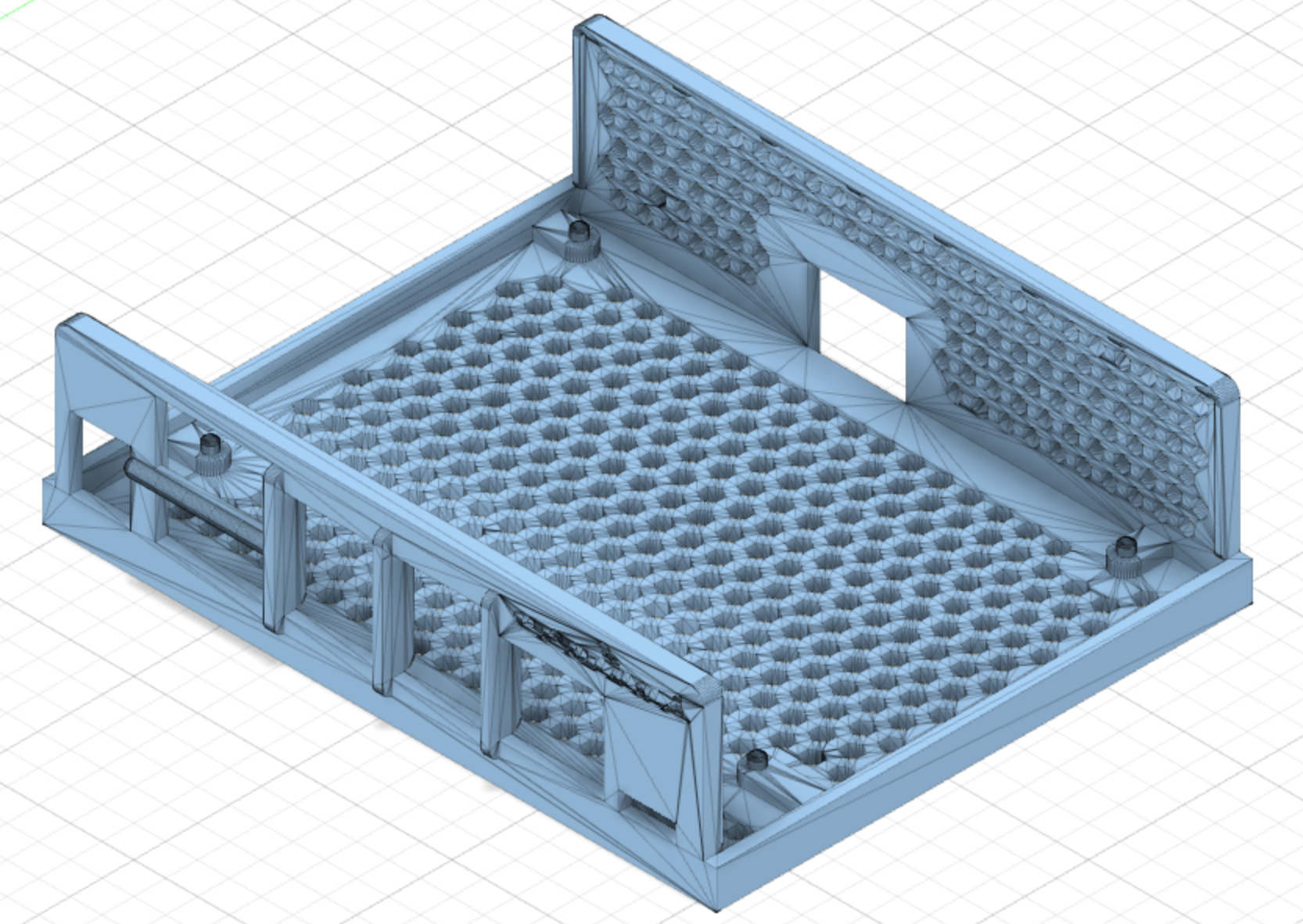
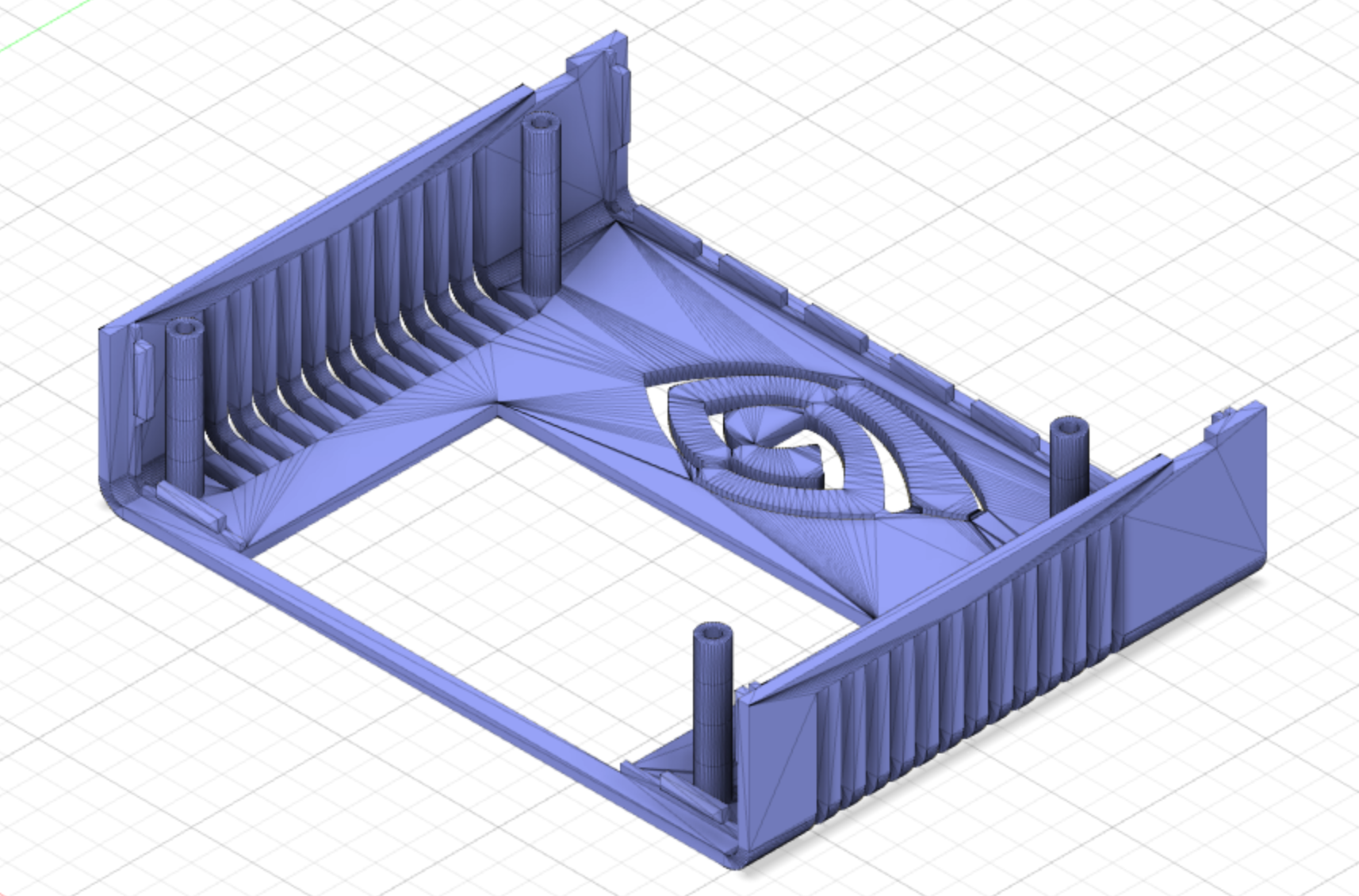
The major components of the mechanical design include the baseplate, camera mount, and Jetson Nano case.
Baseplate
Camera Mount
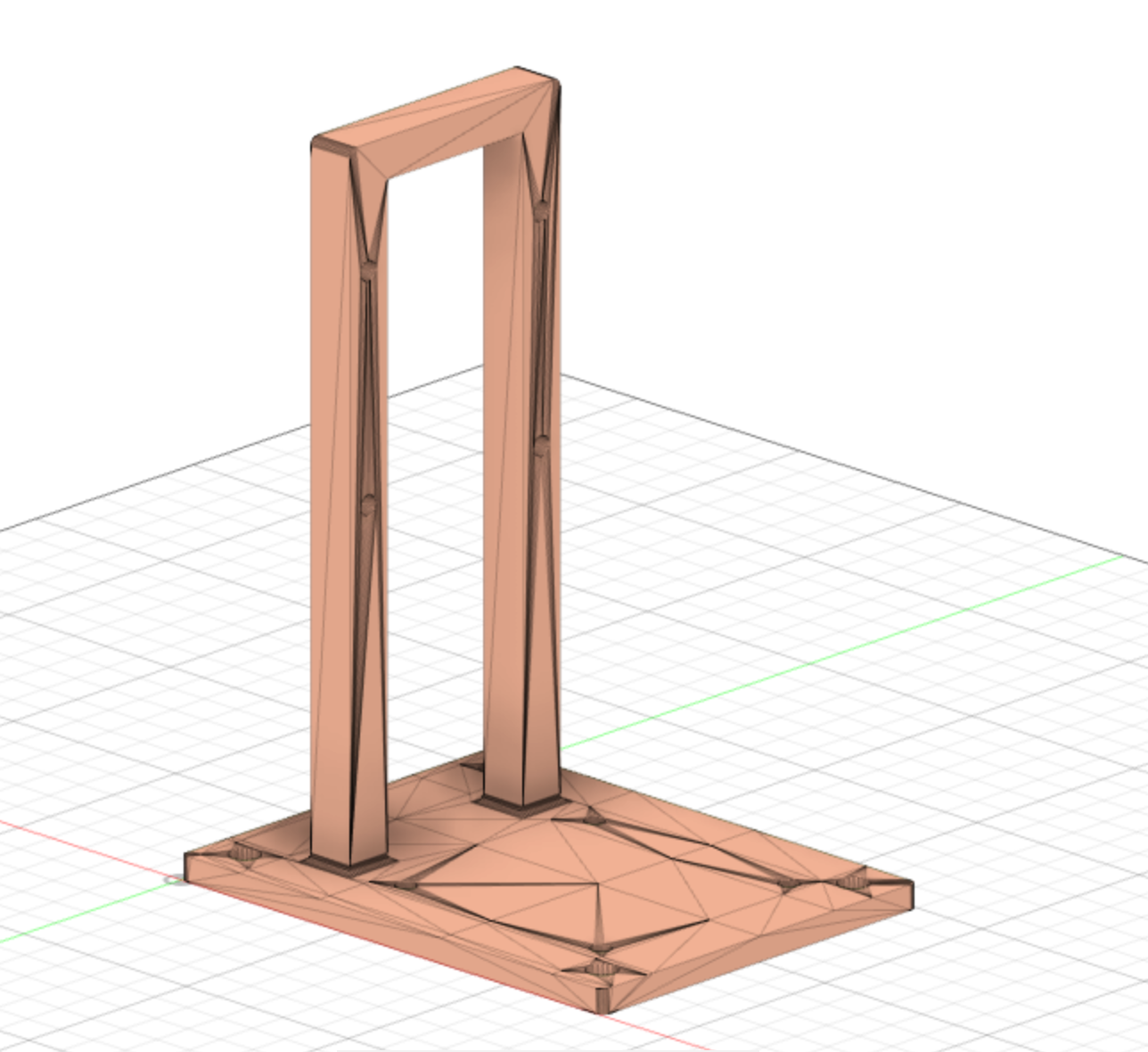
Our camera mount is not adjustable, which makes us hard to calibrate when we run the ROS files, so if we can have time to redesign the camera mount, we will make it more flexible and the angle of the camera can be adjusted
Jetson Nano Case
Electrical Design
Code
Code For Speed Trap
For the speed Trap, we use one jetson nano connected with two webcams. For each webcam, we use OpenCV to read the image from it and calculate the pixels difference compared with the initial image. If the pixels change is greater than the threshold (we set the threshold to eliminate the effect of light change or some minors change of image which is not caused by the speeding car), we start the timer. We also add a "lock" in our algorithm, the car has to pass through the first camera to activate the second camera. After the speeding car pass through both cameras, we calculate the speed, and if the speed is greater than the limits we set, we send the signal to our robocar car to activate it.
We also set a time interval to ret the state of the cameras, so we can use it repeatedly.
For the communication between two jetsons, since we do not need to use ROS on our speed trap, instead of using ROS server, we use socket in python.
# OpenCV Python program to detect cars in video frame
# import libraries of python OpenCV
import socket
import cv2
import time
# capture frames from a video
first = False
second = False
start = 0
end = 0
#First Camera
cap1 = cv2.VideoCapture(0)
#Second Camera
cap2 = cv2.VideoCapture(1)
#threshold for first Camera
threshold1 = 7
#Threshold for second Camera
threshold2 = 2
#Distance between two cameras
distance = 2.2
idle = 20
v = 0
speed = False
current = 0
stop = 0
sleep_time = 5
#Speed Limit
speed_limit = 2
#Background for first camera
background1 = None
#Background for second camera
background2 = None
scale1 = None
scale2 = None
#create a server
s = socket.socket(socket.AF_INET, socket.SOCK_STREAM)
s.bind(("192.168.33.74",23878))
s.listen(5)
data = "0"
old_data ="0"
# loop runs if capturing has been initialized.
while True:
  #check connection
  clientsocket, address = s.accept()
  print(f"Connection from {address} has been establish.")
  while True:
      # reads frames from a video
      ret1, frames1 = cap1.read()
      ret2,frames2 = cap2.read()
      # convert to gray scale of each frames
      gray1 = cv2.cvtColor(frames1, cv2.COLOR_BGR2GRAY)
      gray2 = cv2.cvtColor(frames2, cv2.COLOR_BGR2GRAY)
      if background1 is None:
        background1 = gray1
      if background2 is None:
        background2 = gray2
      substraction1 = cv2.absdiff(background1, gray1)
      substraction2 = cv2.absdiff(background2,gray2)
      sum1 = cv2.sumElems(substraction1)
      sum2 = cv2.sumElems(substraction2)
      if scale1 is None or scale1 == 0:
        scale1 = sum1[0]
      if scale2 is None or scale2 == 0:
        scale2 = sum2[0]
      if scale1 != 0:
        #if the change is greater than the threshould, set the change be true
        if(sum1[0]/scale1 > threshold1 and not first):
          first = True
          #time starts
          start = time.time()
          print(sum1[0] /scale1)
          print("Car passing in first")
      if scale2 != 0:
        if(sum2[0]/scale2 > threshold2 and not second and first):
          second = True
          #time ends
          end = time.time()
          print(sum2[0] /scale2)
          print("Car passing in second")
      current = time.time()
      #print the speed of the car
      if(first and second and not speed):
        print("speed:")
        v = round(distance/(end-start),2)
        print(str(v) + "m/s")
        speed = True
        stop = time.time()

      if(stop != 0 and (current - stop) > sleep_time):
        first = False
        second = False
        stop = 0
        speed = False
      #send the signal to client
      if(old_data != data):
        clientsocket.send(bytes(data,"utf-8"))
        old_data = data
      if(v > speed_limit):
        data = "1"
      time.sleep(0.05)
      cv2.waitKey(1)

cv2.destroyAllWindows()
Code For Robocar
For the robocar part, we modify the file of lane_guidence_node.py to receive data from our host machine. If the signal we receive is 1, we will set the throttle rate will 'no_error_throttle'.
#!/usr/bin/env python
import rospy
from std_msgs.msg import Float32, Int32, Int32MultiArray
import socket

LANE_GUIDANCE_NODE_NAME = 'lane_guidance_node'
STEERING_TOPIC_NAME = '/steering'
THROTTLE_TOPIC_NAME = '/throttle'
CENTROID_TOPIC_NAME = '/centroid'
HOST = "<The IP address of Host Machine>"
PORT = <The port number you want>

class PathPlanner:
     def __init__(self):
        # Initialize node and create publishers/subscribers
        self.init_node = rospy.init_node(LANE_GUIDANCE_NODE_NAME, anonymous=False)
        self.camera_subscriber = rospy.Subscriber(CAMERA_TOPIC_NAME, Image, self.live_calibration_values)
        self.steering_publisher = rospy.Publisher(STEERING_TOPIC_NAME, Float32, queue_size=1)
        self.throttle_publisher = rospy.Publisher(THROTTLE_TOPIC_NAME, Float32, queue_size=1)
        self.steering_float = Float32()
        self.throttle_float = Float32()
        self.centroid_subscriber = rospy.Subscriber(CENTROID_TOPIC_NAME, Float32, self.controller)
        self.s = socket.socket(socket.AF_INET, socket.Sock_STREAM)
        self.s.connect((HOST,PORT)) #connect with the host machine
        # Getting ROS parameters set from calibration Node
        self.steering_sensitivity = rospy.get_param('steering_sensitivity')
        self.no_error_throttle = rospy.get_param('no_error_throttle')
        self.error_throttle = rospy.get_param('error_throttle')
        self.error_threshold = rospy.get_param('error_threshold')
        self.zero_throttle = rospy.get_param('zero_throttle')
        self.signal = 0
        # Display Parameters
        rospy.loginfo(
            f'\nsteering_sensitivity: {self.steering_sensitivity}'
            f'\nno_error_throttle: {self.no_error_throttle}'
            f'\nerror_throttle: {self.error_throttle}'
            f'\nerror_threshold: {self.error_threshold}')

    def controller(msg):
        try:
            #recv the msg from host machine, if the msg is 1 start the car
            msg = self.s.recv(1)
            msg = msg.decode("utf-8")
            if msg == "1":
                self.signal = 1
                self.s.close()
            kp = self.steering_sensitivity
            error_x = data.data
            self.get_logger().info(f"{error_x}")
            if error_x <= self.error_threshold:
                throttle_float = self.no_error_throttle
            else:
                throttle_float = self.error_throttle
            steering_float = float(kp * error_x)
            if steering_float < -1.0:
                steering_float = -1.0
            elif steering_float > 1.0:
                steering_float = 1.0
            else:
                pass
            self.steering_float.data = steering_float
            self.throttle_float.data = throttle_float
            self.steering_publisher.publish(self.steering_float)
            self.throttle_publisher.publish(self.throttle_float)
        except KeyboardInterrupt:
            self.throttle_publisher.data = self.zero_throttle
            self.throttle_publisher.publish(self.throttle_float)

def main():
    path_planner = PathPlanner()
    rate = rospy.Rate(15)
    while not rospy.is_shutdown():
        rospy.spin()
        rate.sleep()

if __name__ == '__main__':
    main()
Code for play sound
To play sound, we use the playsound module in python.(p.s if you do not have playsound in your machine, you can install in by running the command "pip install playsound") Besides, we also use the threading in python to make the sound playing in background so we can run the program while playing the sound.
from playground import playsound
import trheading
threading.Thread(target=playsound, args=('police_siren.mp3',),daemon=True).start()
Demonstration
Donkey Car Deep Learning Autonomous Laps

For this part, we use the Donkey Car model to train our robocar to drive within the track. We also use the GPU cluster from UCSD Super-Computer Center to accelerate our training which makes the training part complete in 5 minutes.
{{#widget:YouTube|id=O8_r3n9UIco}}
{{#widget:YouTube|id=Ar8LHa24EHA}}
ROS Autonomous Laps
For this part, we use the ROS programs given by our TA Dominic. The program will detect the yellow dash lines on the track, and calculate the error between the dash lines and the centerline of the camera. Based on the errors the car gets, the program will control the robocar to correct the direction. (You can find more information on https://gitlab.com/djnighti/ucsd_robo_car_simple_ros#lane_guidance_node)
However, we faced some problems when we calibrate our cars. The first problem is that the steering of the robocar is reversed. To solve this problem, we have to edit the config file of the ROS files to invert the steering parameter. Besides, when we use X11 to view the images the jetson gets on our host machine, it has a significant delay on the images transfers. It tasks about 5 seconds to get the refresh of the image. To solve this problem, we have to disable the X11 server when we run the program.
{{#widget:YouTube|id=zp8BFvS78a0}}
EMO
We use an AB controller to perform an emergency stop of our car. When we hit bottom B, the power for the steering and throttle will be cut off to stop the car immediately.
{{#widget:YouTube|id=mM2gVYU3_Bk}}
Acknowledgements
Instructor - Prof. Jack Silberman
TA - Dominic Nightingale
TA - Haoru Xue
ECE Makerspace